
Which Robot Simulator Should a Lab Install?
Gazebo, Isaac Sim, MuJoCo, Webots. You have probably heard all four names, but it is hard to find out how they differ. Here is how each one behaves.

When you set up a robotics lab, this is the question that comes up.
"Which simulator should we install?"
You have probably heard the names: Gazebo, Isaac Sim, MuJoCo, Webots. But how they differ is rarely spelled out.
Here is how each one behaves.
How do the four simulators differ?
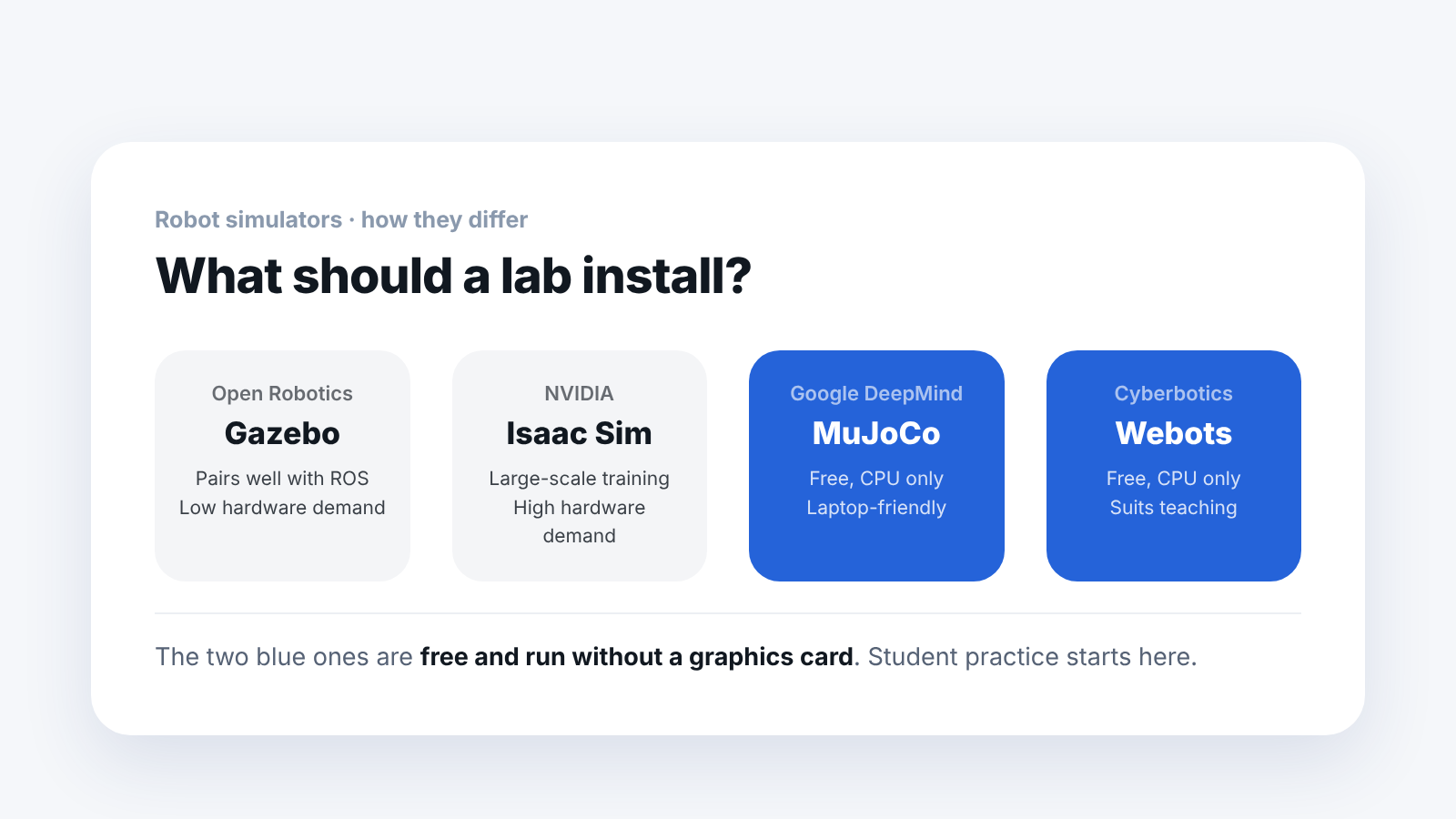
Gazebo — works best with ROS. Long-established labs use it a lot, and its hardware demands are low.
Isaac Sim — made by NVIDIA. It trains thousands of robots at once on a GPU, and its graphics look like photographs. The hardware demands are high.
MuJoCo — maintained by Google DeepMind. Its contact calculation is fast and accurate. It is free and runs on a CPU alone.
Webots — easy to use, so it is common in teaching.
At a glance:
| Simulator | Made by | Strength | Hardware demand | Cost |
|---|---|---|---|---|
| Gazebo | Open source | Works best with ROS | Low | — |
| Isaac Sim | NVIDIA | Trains thousands of robots at once on a GPU, photo-like graphics | High | — |
| MuJoCo | Maintained by Google DeepMind | Fast, accurate contact calculation | Low, CPU only | Free |
| Webots | Open source | Easy to use, suits teaching | Low, CPU only | Free |
Which one should a lab choose?
The answer depends on how you use it.
- Each student practices on a laptop → MuJoCo, Webots
- You run large-scale reinforcement learning yourself → Isaac Sim
- You already work in ROS → Gazebo
One point matters here. MuJoCo and Webots are free and run on a CPU alone.
We ran a MuJoCo-based simulator on a 6-core PC. The CPU sat in the 90% range while the GPU used only 40%. If you plan laptop-based practice, look at the number of CPU cores before the graphics card. We wrote up the measured values separately.
You cannot give 30 students a graphics card each. With these two, laptops are enough for practice. That changes how many robots you need to buy.
Why use several simulators instead of one?
This part is surprisingly little known.
An AI built with reinforcement learning is trained to fit the physics habits of that simulator. If you only check it in one place, you cannot tell whether you built a robot that walks in the real world or one that only walks in that simulator.
So the AI is run once more in a simulator with a different physics engine.
Isaac Gym  →  MuJoCo  →  Webots  →  Real robot
 Training    Cross-check  Final check  Deployment
This is the order Booster uses. A robot that also walks on a different engine is much more likely to walk on the real robot.
Can Gazebo be used?
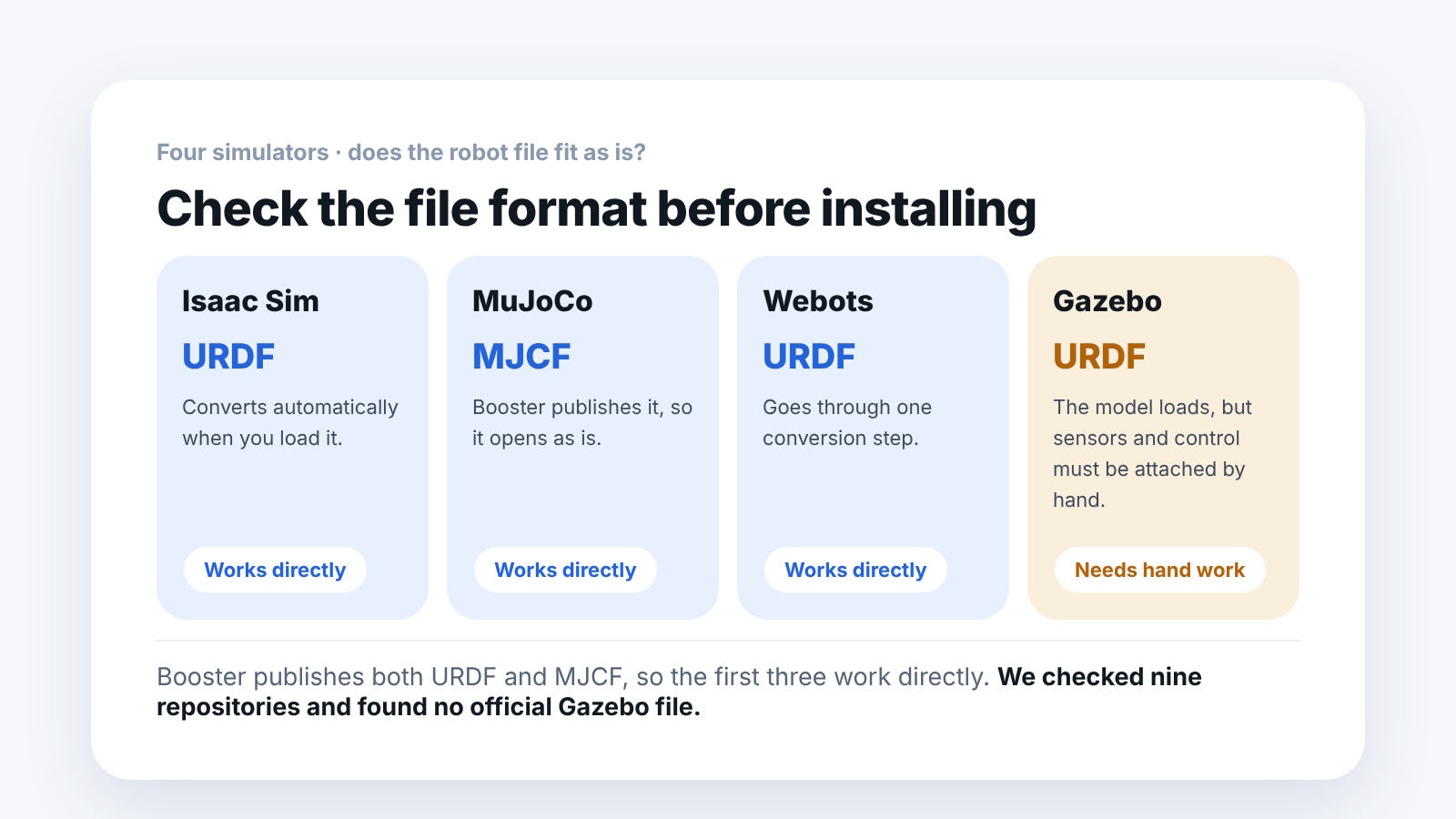
Booster does not provide an official configuration file for Gazebo. We checked nine repositories and found none.
However, a URDF is available, so you can load the model.
One thing to keep in mind: a model appearing is not the same as sensors and control working. To use sensors and controllers in Gazebo, you have to add extension tags to the URDF yourself. Keep "it can be used" separate from "it works out of the box."
How do you tell whether the robot file fits the simulator?
As important as choosing the simulator is whether the robot file fits it.
- Isaac Sim — import a URDF and it converts automatically
- MuJoCo — needs a separate MJCF
- Webots — goes through a conversion step
- Gazebo — opens a URDF, but sensors and control must be attached by hand
Booster publishes both URDF and MJCF, so the first three work directly.
If you install a simulator and the robot file does not fit, you are stuck in the first week. When you evaluate a robot, ask "which formats do you provide?" at the same time. Installation can wait, but checking the file format comes first.
Frequently asked questions
What if I can only choose one?
For practice, MuJoCo. For large-scale training, Isaac Sim. Installing both is the safest option.
Is MuJoCo weaker because it is free?
No. Its contact calculation is faster and more accurate, if anything. The trade-off is that its graphics are not as realistic as Isaac Sim's.
Should cross-checking be part of student practice?
It is worth including. When students see something that worked in one simulator fail in another, they understand at once why sim-to-real is hard.
Can we get a Gazebo configuration file if we ask?
There is no official file. We can show you how to load the URDF.
Next step
These are good to read next.
- A Walk Learned in Isaac Lab: Does It Also Walk in MuJoCo? — the actual result of switching the engine and checking again.
- Simulation Speed in 3v3 Can Differ by Twofold, Depending on Conditions — the measurement record behind the point about CPU cores.
- It Walks in the Simulator but Wobbles on the Real Robot — what the MJCF file that MuJoCo reads actually contains.
- Booster K1 or T2: Which Fits a School or University Lab? — after the simulator, choosing the physical robot: a comparison of the two robots' public specifications by teaching goal.
We checked nine Booster repositories and found no Gazebo-related files. Everything else is based on each tool's public documentation.