PHYSICAL AI EDUCATION · SV ROBOTICS

AMR Robot Arm

Physical AI classes, ready from day one

A 5-axis robot arm and a depth camera on a mobile wheeled robot. Students train AI in a virtual world, then load that AI onto the real robot to find, pick and move blocks. The robot ships with a complete 20-session course — textbook, teacher's guide, teacher training and remote technical support — so a teacher new to the subject can lead the very first class.

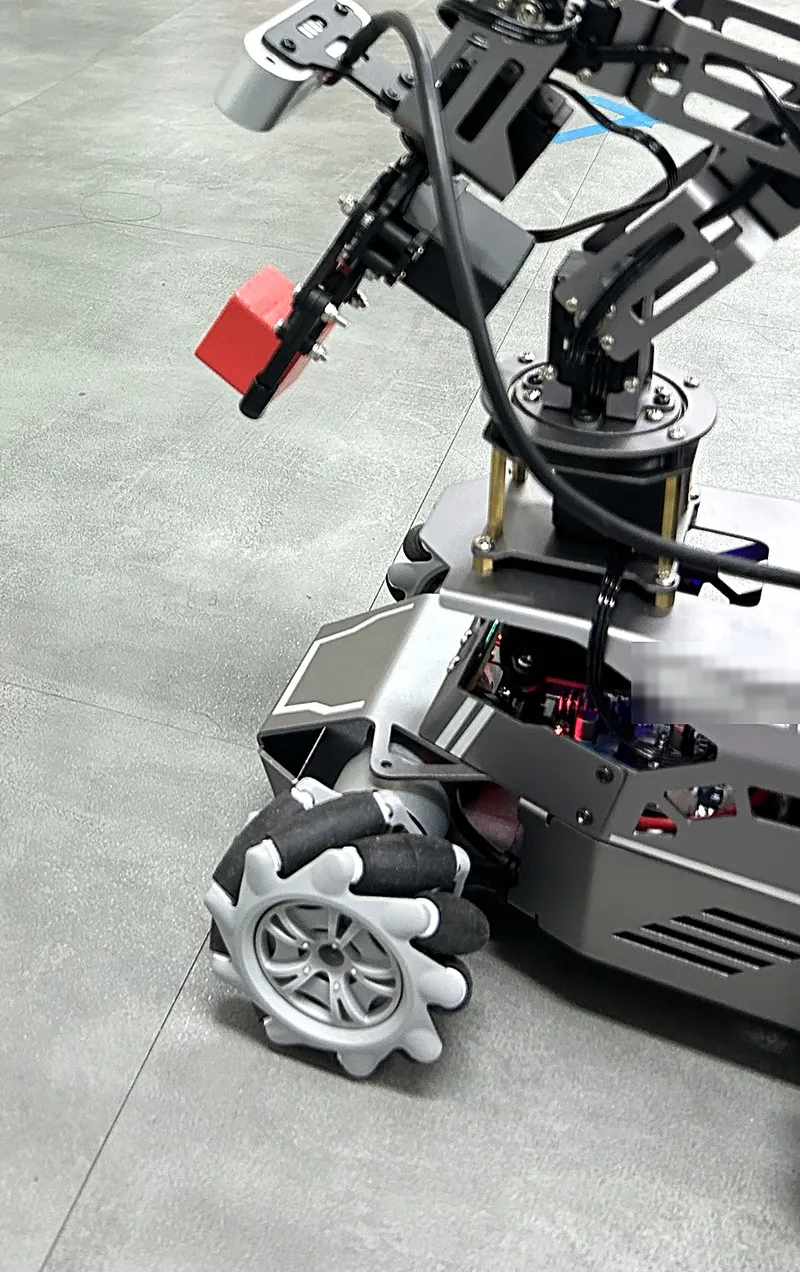
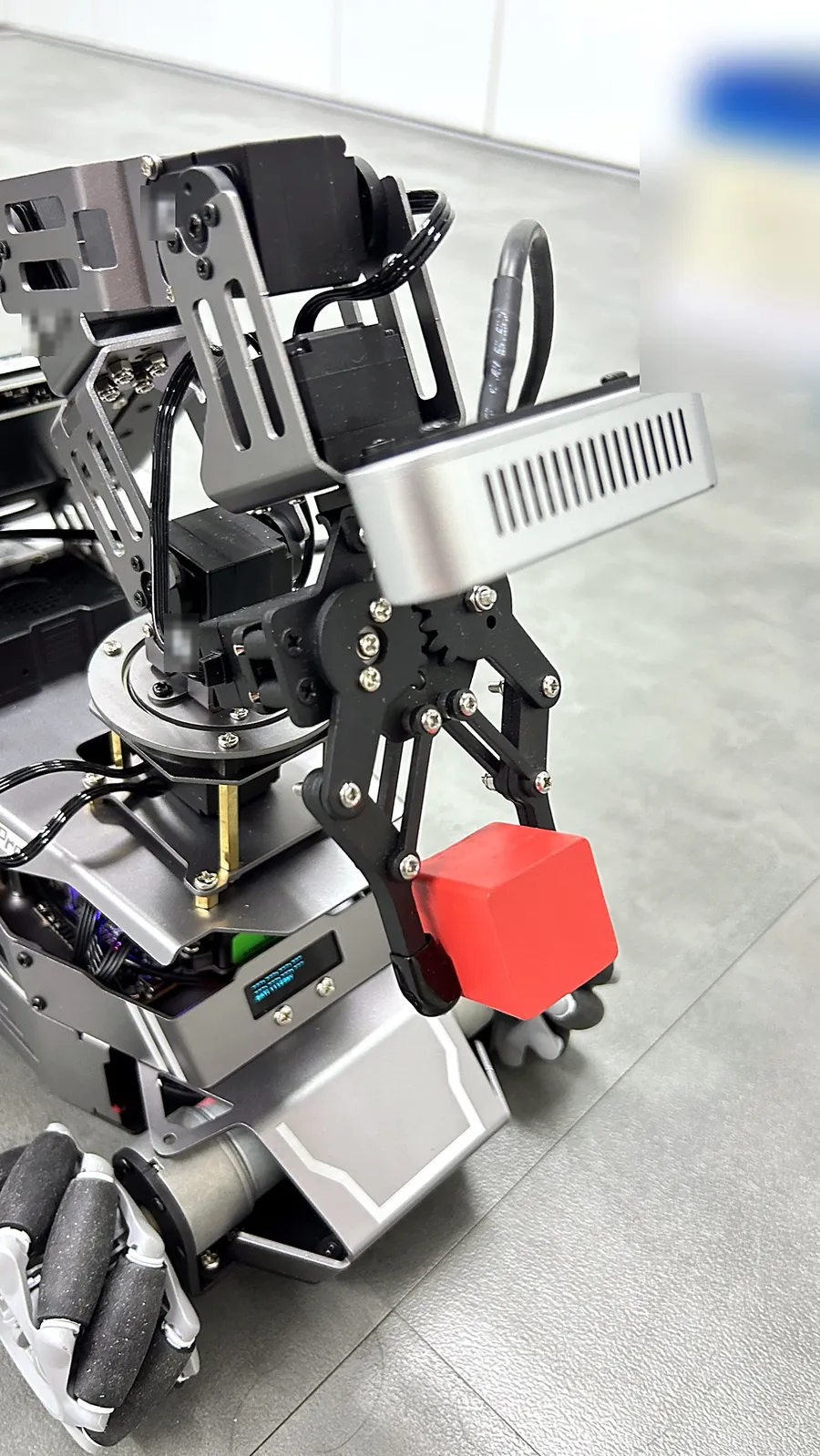
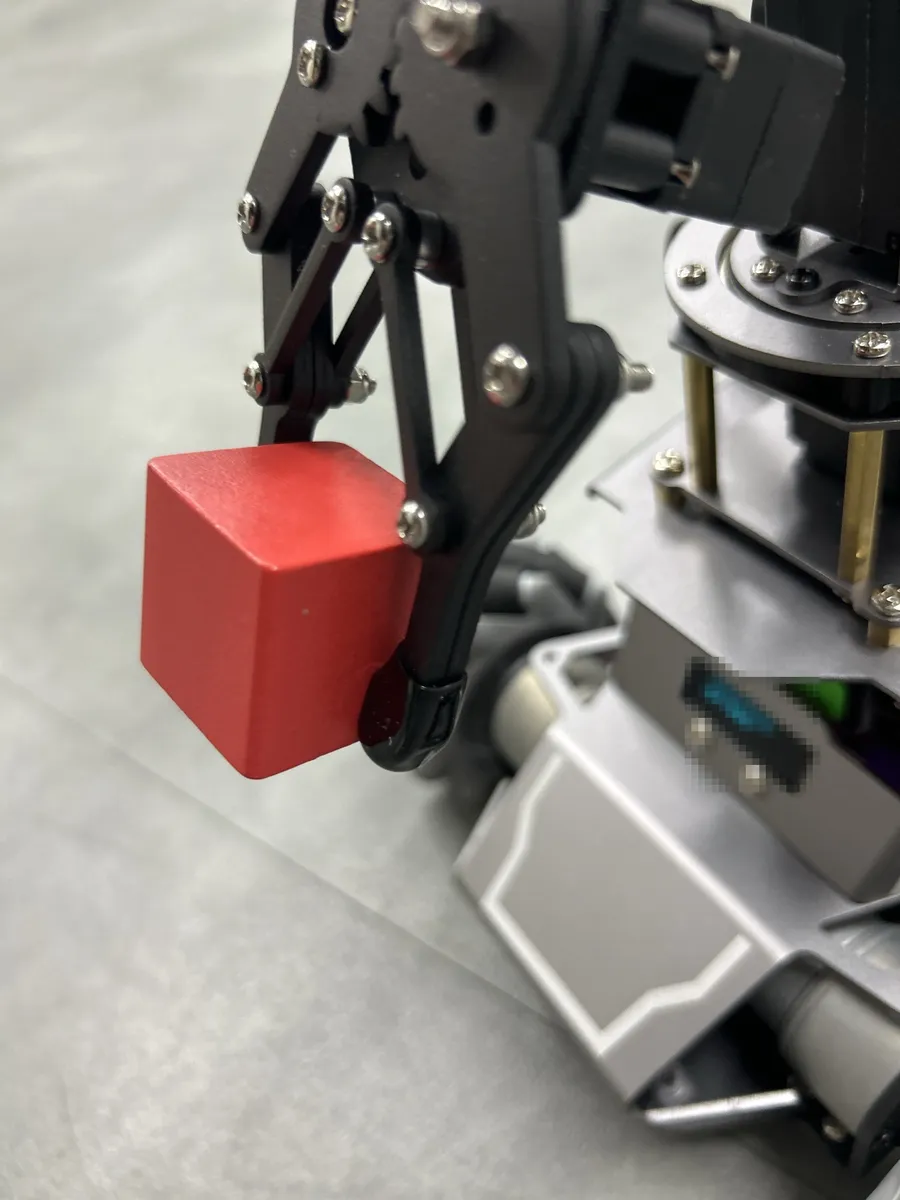
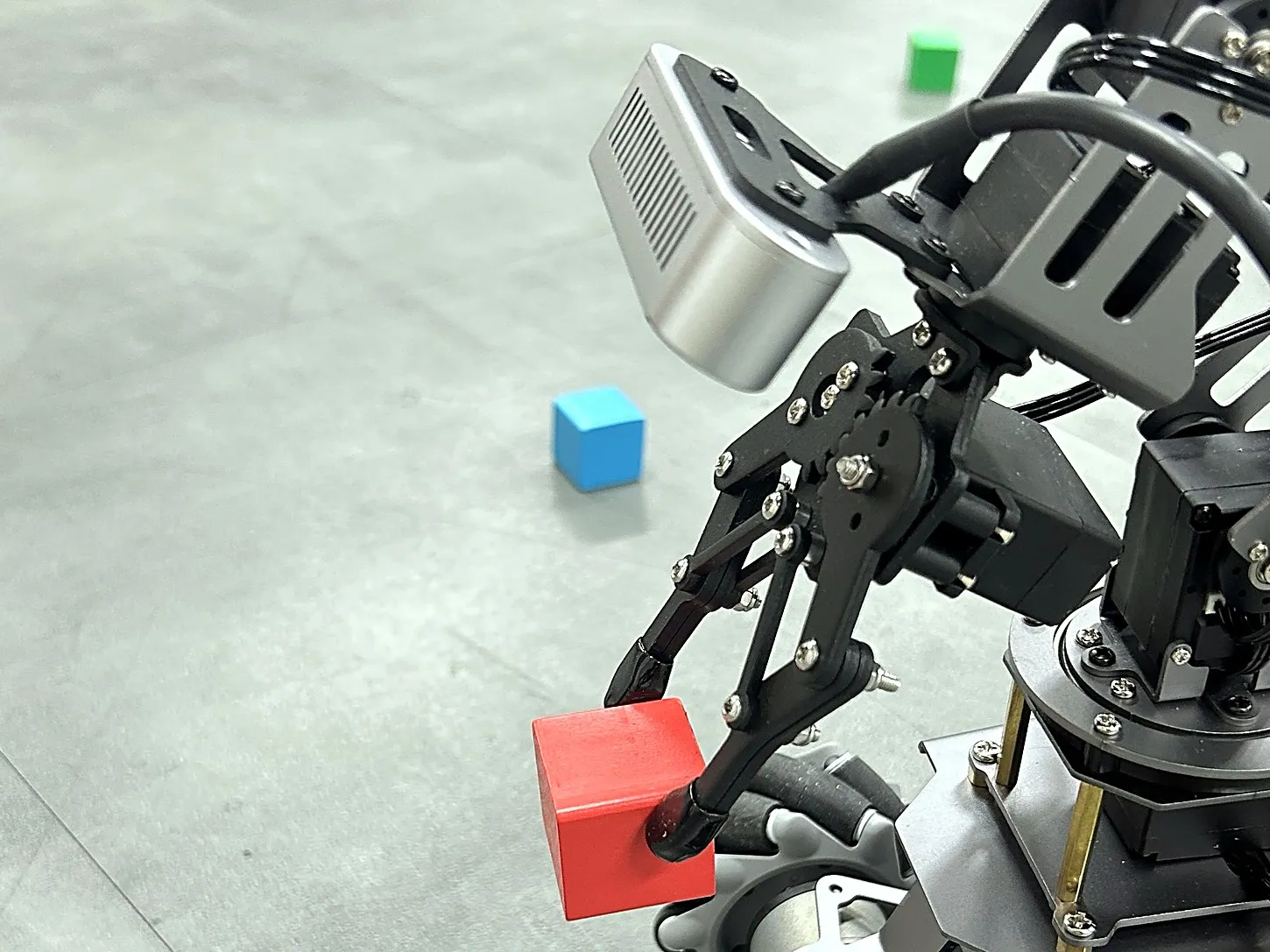
The AMR Robot Arm gripping a red block
Course
20 sessions

10 foundation + 10 advanced

Level
High school · University

Two tracks for two levels

Class setup
2 students per robot

Every student operates a robot

AI methods
IL · RL · VLA

Imitation learning · reinforcement learning · vision-language-action

WHY AMR ROBOT ARM

Everything a Physical AI class needs, in one robot

01Navigation, perception and manipulation in one robot

It maps and drives with lidar, finds objects with the depth camera and picks them up with the arm. Schools teach the core skills of Physical AI with one robot instead of buying several.

02Train in simulation, verify on the real robot

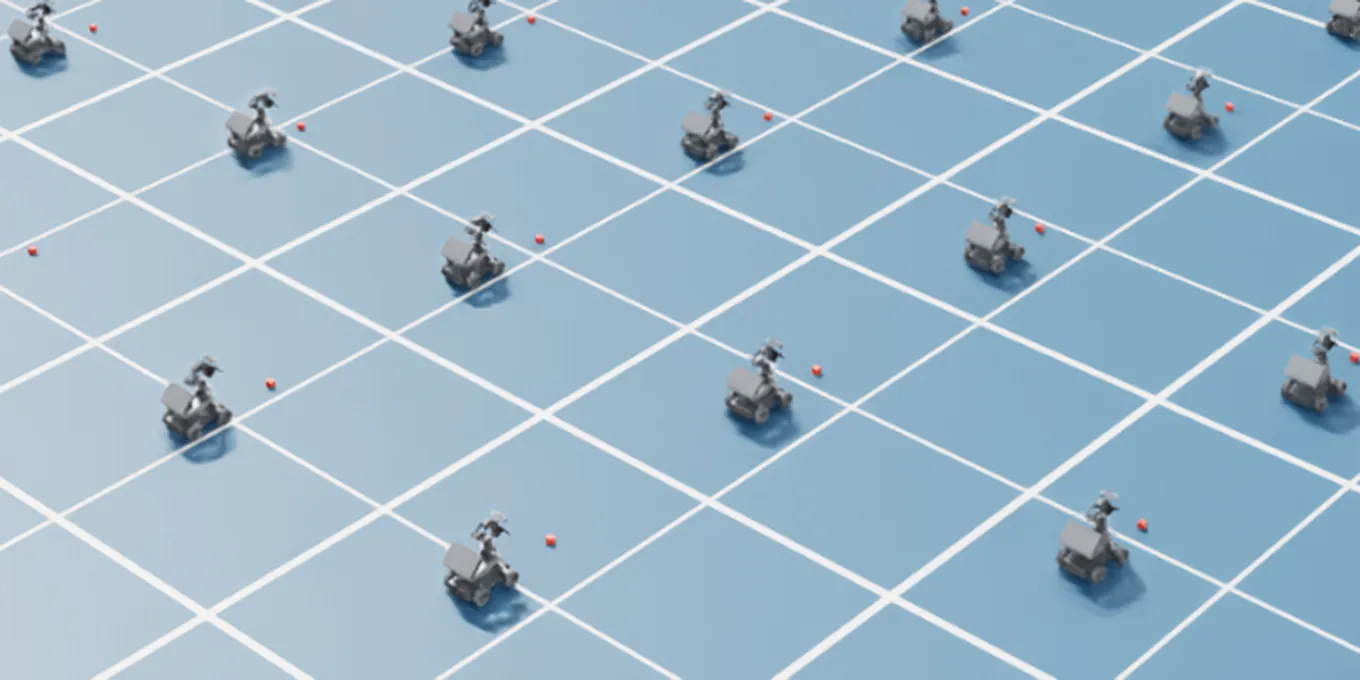
Students train AI with thousands of virtual robots in Isaac Sim and Isaac Lab, then put it on the real robot — the same Sim-to-Real workflow research labs use.

03Ready for teachers new to the subject

Textbook, teacher's guide, lab code and quizzes for every session, teacher training before classes, and remote technical support on weekdays during classes.

FOR PARTNERS

Questions partners ask first

What is AMR Robot Arm?

A Physical AI education robot: a mobile wheeled robot carrying a 5-axis robot arm, a depth camera and lidar. It comes with a 20-session course for high schools and universities in which students train AI in a virtual world and deploy it to the real robot.

What does a school receive?

The robots, GPU PCs for Sim-to-Real practice (required for universities, optional for high schools), a student textbook and a teacher's guide, lab code for every lesson, per-session quizzes, teacher training, and remote technical support on weekdays from 09:00 to 18:00 KST.

Does a school need GPU PCs?

Not for the high school course: students work with trained models, no GPU required. With GPU PCs, students also train AI themselves on virtual robots. The university course trains directly on GPU PCs.

How many students share one robot?

Two students per robot. The number of robots is set by class size, so every student operates a robot.

How long is the course?

20 sessions: 10 foundation and 10 advanced, about 3 hours each, scheduled to fit the school timetable.

Which software does it use?

NVIDIA Isaac Sim and Isaac Lab for the virtual world and training, and ROS 2 on the robot. Some AI lessons use the internet and external AI services.

How are students assessed?

Per-session quizzes, the execution logs the robot records, and the final mission presentation. Students repeat hand-coded and AI methods under the same conditions and explain the results with a comparison table.

PRODUCT

An education robot that moves, sees and grasps

01

5-axis arm + gripper

Five moving joints and a gripper pick up and move objects such as blocks.

02

Depth camera

Mounted on the arm, so the camera looks wherever the arm points.

03

Mecanum wheels

Drives forward, backward, turns, and also slides sideways.

04

Lidar

Measures distances around the robot for mapping, navigation and obstacle avoidance.

HOW STUDENTS LEARN

Course: IL → RL → VLA

By demonstration, by reward, by language — students teach the same block-picking task three ways and compare the results.

  1. 1Imitation Learning (IL)

    A person moves the arm by hand to demonstrate; the robot learns to pick by copying the demonstrations.

    Sessions 8 · 12 · 13
  2. 2Reinforcement Learning (RL)

    The robot learns by itself in a virtual world while students change the reward, then the result goes onto the real robot (Sim-to-Real).

    Sessions 9 · 14 · 15 · 16
  3. 3Vision-Language-Action (VLA)

    An AI that understands spoken instructions and acts on them is fine-tuned for our robot, and the three methods are compared.

    Sessions 18 · 19
Level

High school / university. High schools start without GPUs using trained models; universities train directly on GPU PCs.

Optional sessions (high school)

Sessions 11, 17, 18 and 19 (language-based targeting, language models, VLA ① ②) are chosen to fit the school's level and equipment.

Session length

About 3 hours per session, scheduled to fit the timetable.

Method

Design → test in simulation → deploy on the real robot → compare with data

20 SESSIONS

Curriculum (High school / University, 20 sessions)

Both tracks have 10 foundation and 10 advanced sessions and follow the same sequence at different depths. Each session is about 3 hours.

  1. Before classesTeacher training

    Teachers practice with the robot and the virtual world first

  2. Sessions 1–10Foundation

    ROS 2 · arm coordinates · depth camera · lidar mapping and navigation · virtual world

  3. Sessions 11–19Advanced

    Imitation learning · RL and Sim-to-Real · language models · VLA

  4. Session 20Final mission

    Teams design, demo and present a tidy-up robot you instruct by voice

High school course

Foundation · Sessions 1–10

  1. 1
    What is Physical AI? Starting with the final mission demo

    Watch the finished tidy-up robot demo; safety rules

  2. 2
    Robot structure and ROS 2

    Remote control; inspect topics

  3. 3
    Arm coordinates and motion

    Move the arm with joint and end-point coordinates

  4. 4
    Measuring distance with the depth camera

    Measure the distance to an object

  5. 5
    Mapping with lidar (SLAM)

    Map the classroom

  6. 6
    Lidar navigation: reaching a destination

    Drive to a goal on the map autonomously

  7. 7
    Intro to the virtual world (Isaac Sim, digital twin)

    Control the robot in the virtual world

  8. 8
    First steps in imitation learning: an arm that copies demonstrationsTrained model

    Run and observe an arm that copies a demonstration

  9. 9
    First steps in reinforcement learning: the arm learns to reach (virtual → real)Trained model

    Compare results across rewards; deploy to the real robot

  10. 10
    AI eyes: finding objects and their 3D position

    Find blocks with a provided model

Advanced · Sessions 11–20

  1. 11
    Naming the target in words (vision-language AI)Optional

    Compare recognition results across sentences

  2. 12
    Imitation learning ①: collecting demonstrations by moving the arm by handTrained model

    Record demonstrations by hand-guiding the arm

  3. 13
    Imitation learning ②: learning from demonstrations to pick by itselfTrained model

    Pick autonomously with a trained model

  4. 14
    Sim-to-Real ①: shaking up the virtual world for robust learningTrained model

    Compare results across randomization ranges

  5. 15
    Sim-to-Real ②: lidar obstacle avoidance with RL (virtual → real)Trained model

    Avoid real obstacles; compare with the virtual run

  6. 16
    Sim-to-Real ③: real-robot block-picking test + IL vs RLTrained model

    Record success counts; discuss causes

  7. 17
    Task planning with a language modelOptional

    Change the command and check the plan

  8. 18
    VLA ①: an AI that understands words and actsOptional · Trained model

    Observe the motion for each command

  9. 19
    VLA ②: fine-tuning for our robot and comparing three methodsOptional · Trained model

    Compare models before and after fine-tuning

  10. 20
    Final mission: a tidy-up robot you instruct by voice — presentation and assessment

    Combine the skills learned to complete and present the mission

Optional: sessions the school includes or runs as a demo, depending on level. Trained model: sessions that use a trained RL model so students can practice without a GPU.

University course

Foundation · Sessions 1–10

  1. 1
    What is Physical AI? Starting with the final mission demoPhysical AI landscape (RL, IL, VLA)

    Technology overview; safety rules

  2. 2
    Robot structure and ROS 2ROS 2 nodes and topics

    Write nodes and topics

  3. 3
    Arm coordinates and motionForward and inverse kinematics, coordinate frames

    Implement forward and inverse kinematics

  4. 4
    Measuring distance with the depth cameraRGB-D, pixel → 3D coordinates

    Implement pixel-to-3D conversion

  5. 5
    Mapping with lidar (SLAM)Lidar SLAM mapping

    Build a SLAM map and tune settings

  6. 6
    Lidar navigation: reaching a destinationNavigation (localization, path planning)

    Tune path planning; analyze driving logs

  7. 7
    Intro to the virtual world (Isaac Sim, digital twin)Digital twin, robot model (URDF)

    Modify the robot model and environment

  8. 8
    First steps in imitation learning: an arm that copies demonstrationsImitation learning (behavior cloning)

    Behavior cloning principles; demonstration data structure

  9. 9
    First steps in reinforcement learning: the arm learns to reach (virtual → real)RL (state, action, reward); arm-reaching Sim-to-Real

    Reward design and training experiments; measure real-world error

  10. 10
    AI eyes: finding objects and their 3D positionPretrained object detection + depth-camera 3D position

    Small-scale extra training; measure accuracy

Advanced · Sessions 11–20

  1. 11
    Naming the target in words (vision-language AI)Open-vocabulary recognition, VLM

    Analyze failure cases; prompt design

  2. 12
    Imitation learning ①: collecting demonstrations by moving the arm by handDemonstration data collection (kinesthetic teaching)

    Collect and organize demonstration data

  3. 13
    Imitation learning ②: learning from demonstrations to pick by itselfBehavior cloning, ACT policy training

    Compare results by number of demonstrations

  4. 14
    Sim-to-Real ①: shaking up the virtual world for robust learningDomain randomization (approaching a block)

    Set up randomization and train

  5. 15
    Sim-to-Real ②: lidar obstacle avoidance with RL (virtual → real)Lidar-based obstacle avoidance policy

    Train the avoidance policy and deploy it

  6. 16
    Sim-to-Real ③: real-robot block-picking test + IL vs RLReal-robot deployment and evaluation; method comparison

    Classify failure types and report

  7. 17
    Task planning with a language modelLLM task planning, tool calling

    Design functions; implement tool calling

  8. 18
    VLA ①: an AI that understands words and actsVLA (vision-language-action) model inference

    Set up the inference server and client

  9. 19
    VLA ②: fine-tuning for our robot and comparing three methodsVLA fine-tuning; IL vs RL vs VLA

    Fine-tune on the class's own demonstration data

  10. 20
    Final mission: a tidy-up robot you instruct by voice — presentation and assessmentIntegrating LLM planning, perception, navigation and learned skills

    Experiments to justify each technology choice; short report and presentation

In the IL, RL and VLA sessions of the university course, students train on GPU PCs themselves and benchmark against a reference model.

SIM-TO-REAL

Learn in simulation, prove it on the real robot

Students go through this workflow in session 9 and sessions 14–16.

  1. 01Build the virtual scene

    Set up a robot and blocks in Isaac Sim that match the real ones

  2. 02Train thousands at once

    Thousands of virtual robots practice at the same time in Isaac Lab

  3. 03Export the trained model

    Export what the robot learned in the virtual world as a model

  4. 04Deploy and align

    Load it onto the real AMR Robot Arm and close the gap between virtual and real

  5. 05Verify on the real robot

    Check that the real robot completes the same task

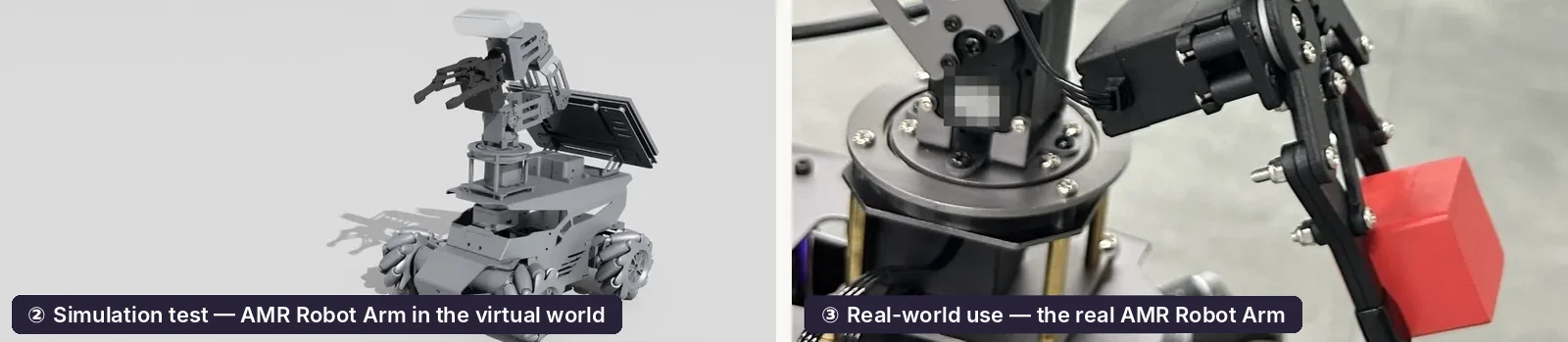
A simulation test and the same task on the real robot, side by side
Simulation test (left) and real-robot deployment (right)
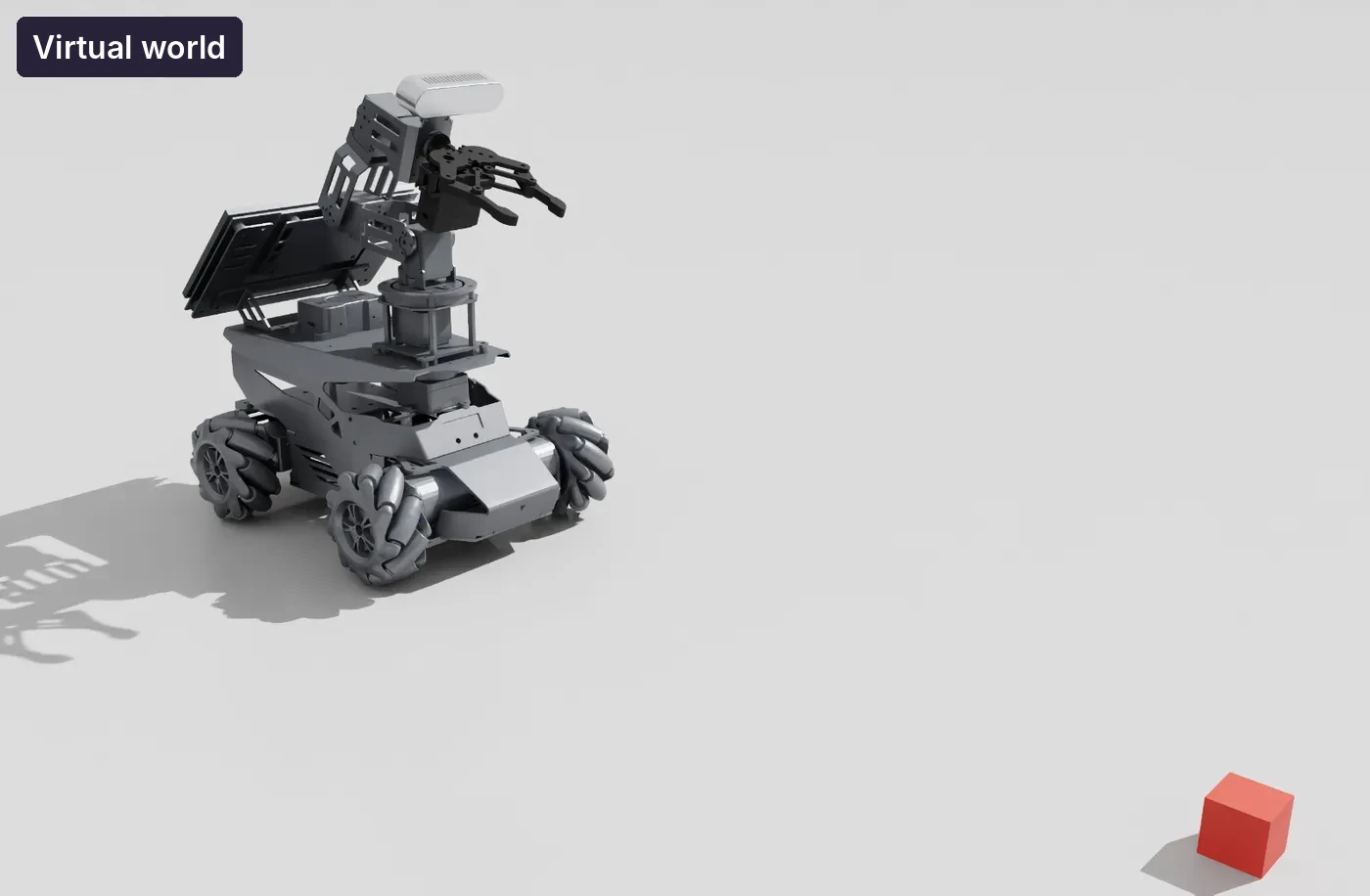
One AMR Robot Arm and blocks in the virtual world
One AMR Robot Arm in the virtual world
Many AMR Robot Arms placed in the virtual world
Many robots practicing at once in the virtual world

High school

Trained RL models

Equipment
Starts without GPUs (with GPU PCs, the training lab is available too)
Activity
Load trained IL, RL and VLA models onto the real robot each session
Learning
Compare with hand-coded methods; analyze training logs to see how the AI learned

University

RL training lab

Equipment
GPU PCs (specification and number sized to the school)
Activity
Students train AI directly with thousands of virtual robots; trained models serve as the benchmark
Learning
Training design, reading learning curves, benchmarking, closing the sim-to-real gap

FINAL MISSION · SESSION 20

A tidy-up robot you instruct by voice

“Put the red block in the blue box.”

Teams combine everything from the semester into one project. A student gives an instruction; the robot understands it, drives to the block, picks it up and moves it.

  1. 1Understand

    The AI understands the instruction and decides what to do

  2. 2Approach

    Finds the block with the camera and drives to it

  3. 3Pick

    Picks it up with the chosen method: IL, RL or VLA

  4. 4Place

    Carries it to the box and drops it in

AI vision (sessions 10–11), language-model planning (session 17), lidar navigation (session 6) and the chosen picking method come together; each team designs, demos and presents.

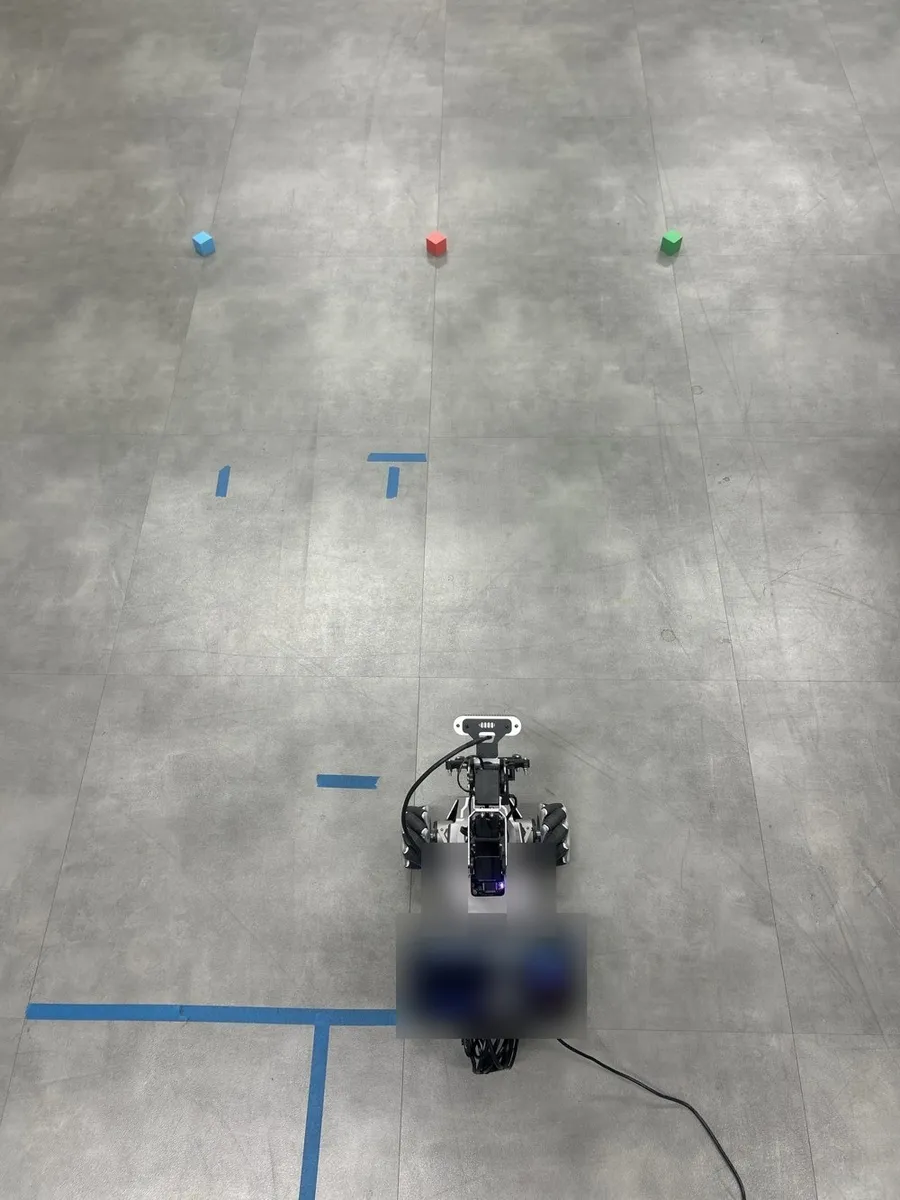
The AMR Robot Arm with blocks in three colors at the start position

ASSESSMENT

Evaluation evidence comes from the class record

Session quizzes

Check understanding of the key concepts.

Execution logs

Review the logs and results the robot records.

Mission presentation

Design, demo and presentation are assessed together.

Sample student comparison — hand-coded vs AI

Hand-coded AI (reinforcement learning) Mean of 3 runs, range in brackets · shorter is faster

Find
6.0 s
6.2 s

Same code → no difference

Approach
19.4 s (18.4–19.9)
13.2 s (13.1–13.3)

AI used here; ranges do not overlap → real effect

Align
11.4 s (9.4–13.6)
10.3 s (9.7–11.1)

Ranges overlap → not claimed as an effect

Whole task (incl. stages not shown) 63.3 s → 56.3 s · about 88% of the 7.0 s gap comes from Approach

Show as table
StageHand-codedAI (RL)Reading
Find6.0 s6.2 sSame code → no difference
Approach19.4 s (18.4–19.9)13.2 s (13.1–13.3)AI used here; ranges do not overlap → real effect
Align11.4 s (9.4–13.6)10.3 s (9.7–11.1)Ranges overlap → not claimed as an effect
Whole task (incl. stages not shown)63.3 s56.3 sAbout 88% of the 7.0 s gap comes from Approach

OUTCOMES

What students can do after one semester

01Design the AI that moves a robot

Connect seeing, thinking and moving in code

02Teach the arm by demonstration, reward and language

Teach the same task with IL, RL and VLA, and compare

03Move AI from virtual to real

Find and close the gaps between simulation and reality (Sim-to-Real)

04Compare with data and present

Explain hand-coded versus AI methods with measured data

WHAT YOU GET

What comes with every installation

Not just a robot. Every session is built for hands-on practice on the real AMR Robot Arm, with textbook, code and assessment included.

AMR Robot Arm

Two students per robot, so every student operates one.

GPU PCs for Sim-to-Real

Required for universities, optional for high schools. Sized to the school.

Student textbook · teacher's guide

Teaching notes and tips for every session.

Lab code

Ready-to-run code for each lesson in the textbook.

Per-session quizzes

Check understanding of the key concepts every session.

Teacher training · remote support

Training before classes; remote support on weekdays, 09:00–18:00 KST.

Uses NVIDIA Isaac Sim and Isaac Lab. Some AI lessons use the internet and external AI services.

HOW TO START

From first call to first class

  1. 01Consultation
  2. 02Course plan
  3. 03Robot & PC setup
  4. 04Teacher training
  5. 05First class
Teacher training

Teachers and instructors practice with the robot and the virtual world before classes begin. The teacher's guide has teaching notes and tips for every session.

Technical support

Remote support on weekdays, 09:00–18:00 KST

A configuration for each school

Tell us the level (high school or university), number of students and whether GPU PCs are available, and we propose the number of robots and a course plan.

PARTNER WITH US

Bring Physical AI education to schools in your market

Tell us your country or region, the institutions you work with (high schools, universities) and the expected number of students. We will reply with a proposed robot and course configuration. The course guides below are in Korean.

Contact us about partnership

SV ROBOTICS · CONTACT

Talk to us about AMR Robot Arm.

Tell us your country or region, target institutions and timeline. Our team will reply by email.

Contact us

Prefer email? Write to innorobo@naver.com.