
How Far Can Booster Studio Go Without a Physical Robot?
We installed Booster Studio 1.11.4 on Windows 11 and even ran 3v3 humanoid soccer. What works well, what gets in the way, and the order to start in, all in one place.
In one line — Booster Studio can run humanoid simulation on a PC alone, without a physical robot. The catch is that Docker Desktop is required, and the first run downloads about 12GB.
SV Robotics supplies Booster Robotics products (Booster K1, Booster T2) in Korea. The numbers in this post, however, are not from sales material. They are the values we actually measured, and we included the unfavorable results as they were.
Test environment — AMD Ryzen 5 5600X (6 cores, 12 threads) · 16GB RAM · NVIDIA RTX 2060 · Windows 11 Pro build 26100 · Booster Studio 1.11.4 · Docker Desktop 29.3.1
What is Booster Studio?
It is an IDE built specifically for robot development, released by the humanoid robot company Booster Robotics. It presents itself as "the first IDE for Embodied AI" and was officially released on 2026-06-30.
In one sentence, it is a tool that lets you do writing code, verifying it in physics simulation, and deploying to a real robot in a single window. A familiar comparison is VS Code with a robot simulator and sensor visualization panels built in, and it is not just a comparison: it really is a VS Code fork.
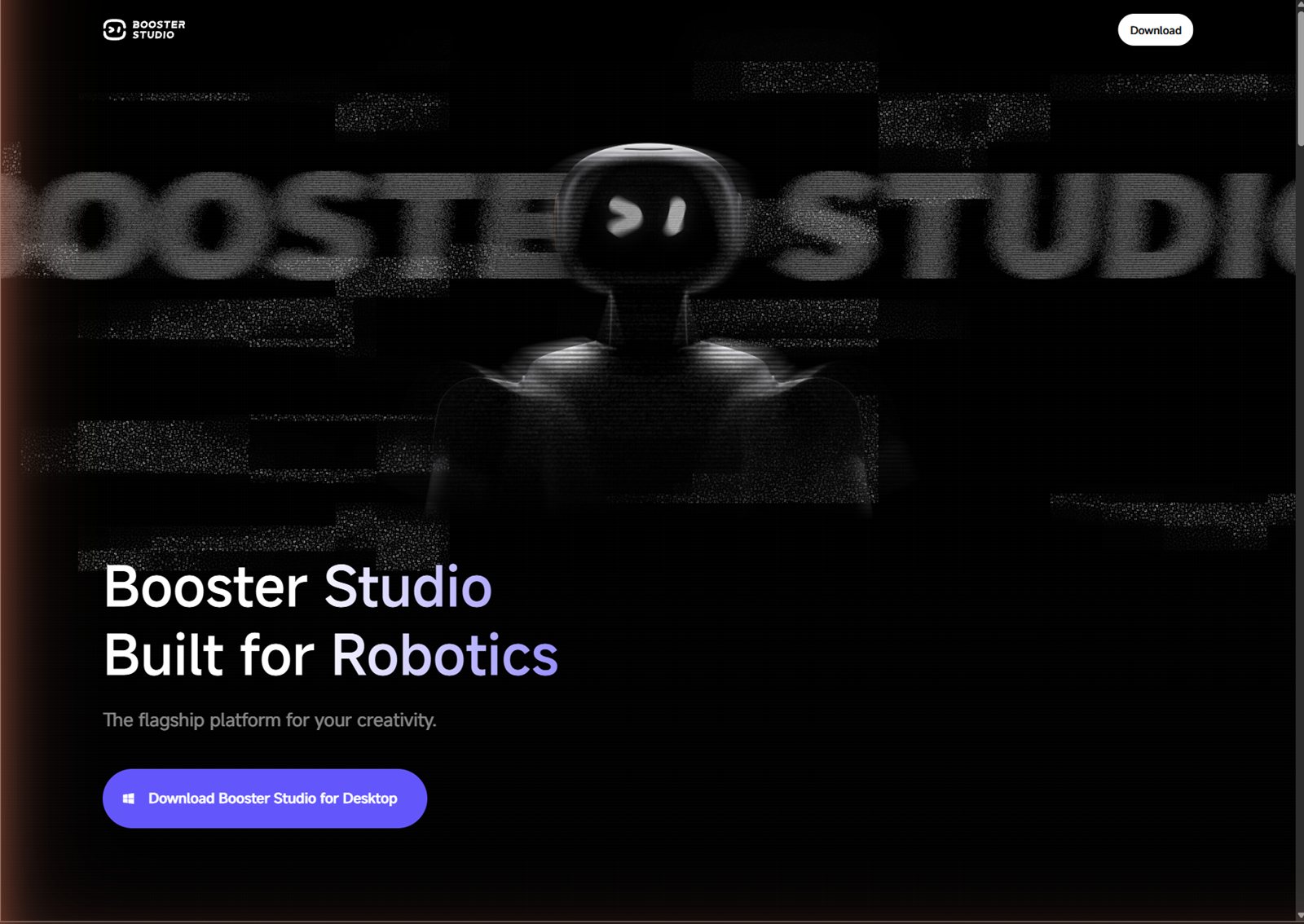
- ①
Download— the button at the top right - ② Title — "Booster Studio Built for Robotics"
- ③
Download Booster Studio for Desktop— the download button with a Windows logo
Do I need a physical robot?
No. Virtual robots and simulation scenes are built in, so you can run everything on a PC without buying a single robot. The tests in this post were also done from start to finish without a physical robot.
Even a 3v3 soccer match with six humanoids ran without a physical robot. We did not change a single line of code, and when we stepped away for a moment, the score had reached 2 points.
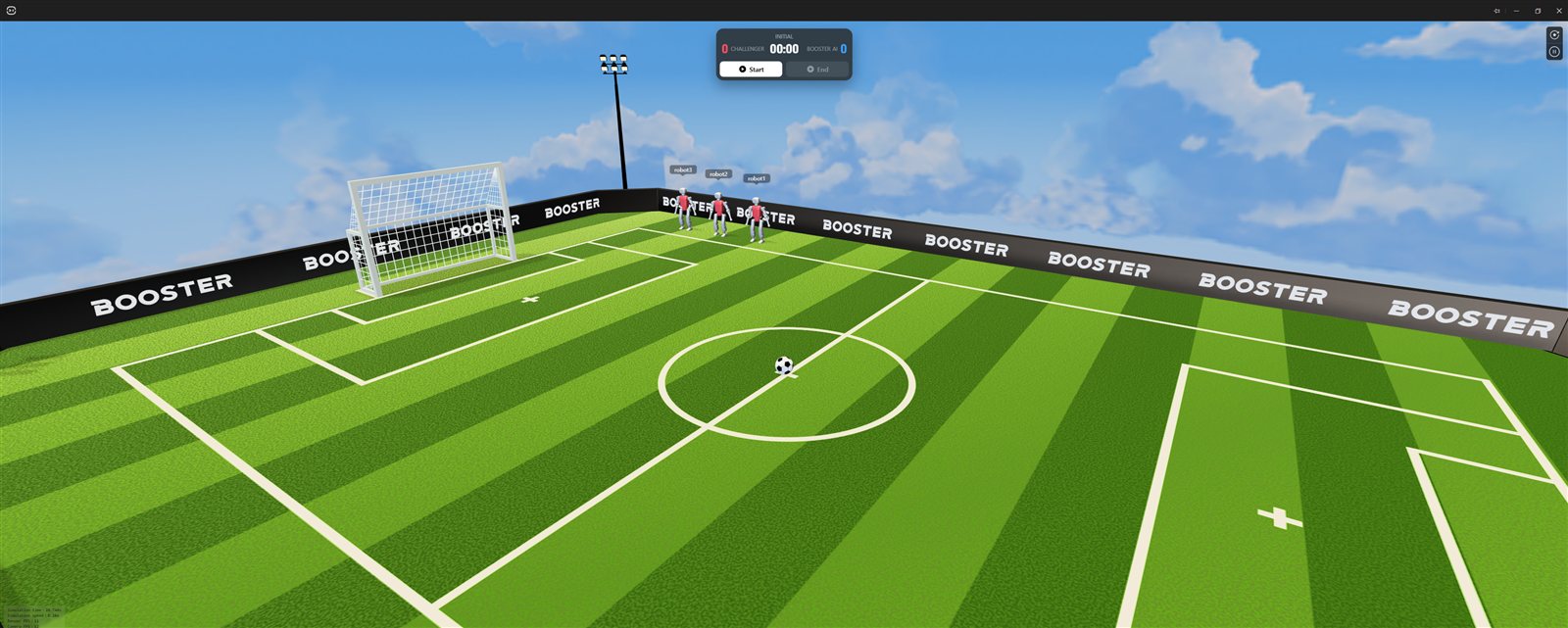
- ① Scoreboard —
INITIALstate,CHALLENGER 000:00BOOSTER AI 0, withStartandEndbuttons below - ② Three red-uniform robots — name tags
robot1robot2robot3above their heads - ③ Soccer ball — in the middle of the center circle
- ④ Goal — a
BOOSTERadvertising board and floodlight towers are visible behind it
What works well and what gets in the way?
The good part is the low barrier to entry, and the problem is the lack of guidance.
What was good
- You can run humanoid simulation right away without a physical robot. This is the biggest point
- It is based on VS Code, so shortcuts, extensions and the terminal carry over, and there is almost no new UI to learn
- Setting up MuJoCo, ROS 2 and Foxglove separately could take days, and this does it in a few clicks
- The installer has a proper code signature
What to know before adopting
- Docker is required, but there is no official guidance — first-time users will definitely get stuck
- Do not trust the 1.55GB on the installer screen — in practice it takes about 13.4GB
- Running as administrator turns off automatic updates
- The AI assistant, the headline feature, requires login
- On 16GB RAM, 3v3 runs at an average of 0.50x
- The screen does not explain why the control panel is locked in the 3v3 scene
Who is this tool right for?
It suits people who need to work with humanoids without a physical robot.
- Students studying robotics or reinforcement learning — a very good fit
- Teams preparing for robot competitions such as RoboCup — a very good fit
- Companies that own a physical Booster K1 or T2 — a very good fit
- Developers tired of setting up ROS 2 environments — a good fit
- People who just want to look around — keep in mind the 12GB download
In what order should I do a first installation?
- Install Docker Desktop first and run it — wait about 30 seconds until the whale icon turns green
- Free up 15GB or more of disk space
- Download the installer from studio.booster.tech (about 723MB)
- Before running it, check the digital signature shows
Status : Valid - Go through the installation wizard with the defaults. Do not run it as administrator
- In
Create agent…, if it is your first time, chooseDefault scene - Close your browser and messenger before running. It makes a difference of more than 30% in speed
- The first run downloads 12GB and takes about 7 minutes. From the second run on it starts in under a minute
Frequently asked questions
Do I need a physical robot to use Booster Studio?
No. Virtual robots and simulation scenes are built in, so you can test everything on a PC alone. To deploy an agent to a physical Booster robot, you need firmware 1.7.0 or later.
Does Booster Studio really need Docker?
Yes. It builds robot code inside a ROS 2 container and runs the simulator as a container too. If Docker Desktop is missing or turned off, a Failed to pull image error appears at the project activation step.
How much disk space do installation and first run need?
The installer is about 723MB, and the folder after installation is 1.56GB. On first run it also downloads about 11.87GB of Docker images. We recommend 15GB or more of free disk space.
What are the recommended PC specifications?
The physics engine is CPU-based MuJoCo, so CPU core count matters most. We recommend a CPU with 8 or more cores and 32GB RAM. The GPU stayed at around 40% throughout the measurement, so a mid-range or better card is enough.
Which operating systems are supported?
Windows 10 and 11, Ubuntu 22 and 24, and macOS 12.0 or later (Apple Silicon). The measurements in this post were taken on Windows 11 Pro build 26100.
Next steps
These posts are good to read after this one.
- Install Docker Before You Install Booster Studio — Start by checking the requirements missing from the official guidance.
- How Do You Create Your First Project in Booster Studio? — If the installation is done, this leads on to Create agent and choosing a scene.
- What Is Booster Studio Built With? — Knowing the makeup helps you decide how far to use this tool in class.
- Booster K1 or T2: Which Suits School and University Labs? — Compares, using public specifications, which of the two robots introduced in this post suits teaching.
Adoption inquiries — SV Robotics supplies the Booster Robotics humanoids Booster K1 and Booster T2 in Korea. If you need help setting up a test environment or evaluating a physical robot, contact us through the contact page.
All numbers in this post are values obtained by installing and running it ourselves in the test environment above. Results may differ on other specifications. If you cite them, please state the test environment as well.