
Can You Not Do Reinforcement Learning Without a USD File?
No, you can. Isaac Sim converts it for you. Here is what the actual training code looks like.
When you look into adopting a robot, this question always comes up.
"Do you also provide the USD file?"
Many companies do not. So people worry that without it, they cannot do reinforcement learning.
No. You can do it without one. Let us show you why.
Do you need to receive a USD file separately?
USD is the 3D scene format that NVIDIA Isaac Sim uses. It was originally developed by Pixar for making animation.
But when you give Isaac Sim a URDF, it converts it to USD on its own at run time and uses that.
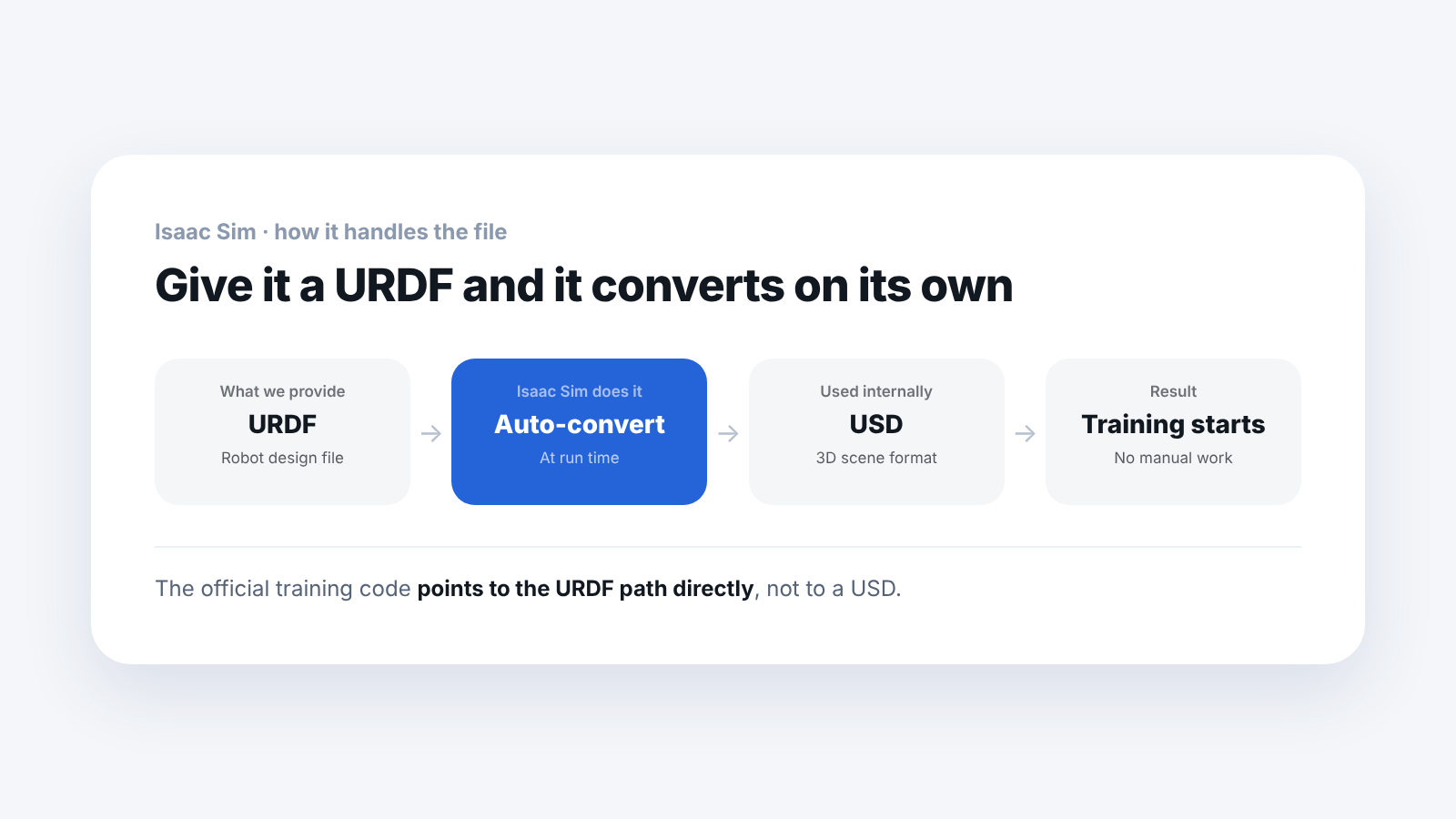
No one has to do the conversion separately. With just the design file, the robot stands and the training runs.
Which file does the actual training code read?
Saying it in words alone is not convincing. We opened the training code that Booster published.
spawn = sim_utils.UrdfFileCfg(
    asset_path = f"{BOOSTER_ASSETS_DIR}/robots/K1/K1_22dof.urdf" )
As you can see, it writes the URDF path directly. Not a USD.
The official training code runs this way. It does not create and use a separate USD file.
What is inside a USD?
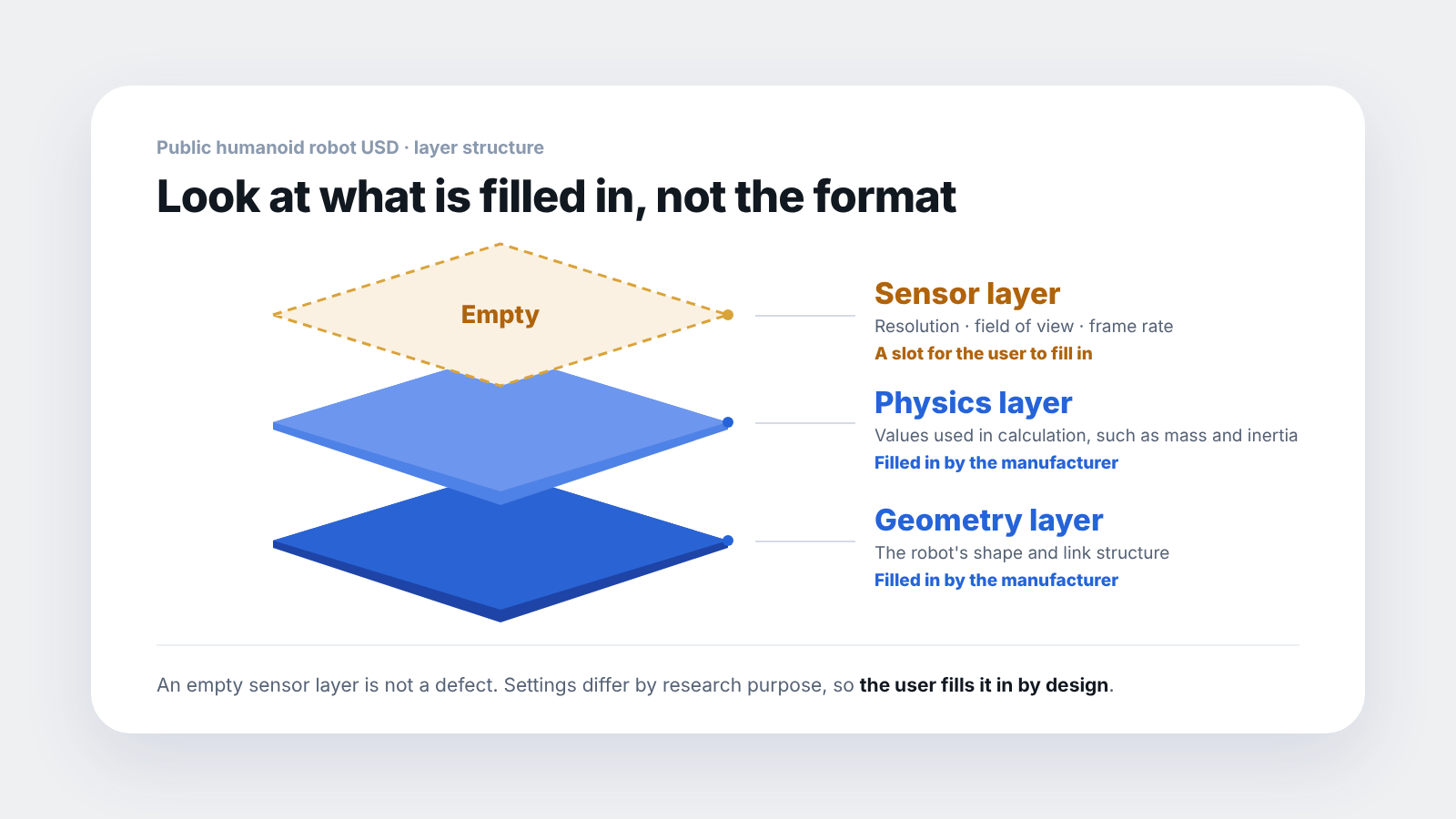
Out of curiosity, we downloaded and opened one public humanoid robot USD file. It was divided into layers.
- Geometry layer: 28.3 MB
- Physics layer: 10.4 KB
- Sensor layer: 656 bytes
The geometry layer is 28.3MB while the physics layer is 10.4KB. That is a difference of more than 2,700 times. It means the data that draws the 3D shape is far larger, and the physics values that are actually used in training are this small.
The sensor layer is even smaller. At first we wondered whether it was incomplete, but it turned out to be a slot that is left empty by design.
To use a sensor in Isaac Sim, the user has to set the resolution, field of view and frame rate. Even for the same camera, the settings differ by research purpose. If the manufacturer pre-fills them, you end up having to erase them each time.
The structure is: the manufacturer provides the mounting position, and the user fills in the sensor settings.
So when do you need USD?
There are cases.
If your goal is a digital twin or Omniverse integration, you need one more round of USD work. This is because you have to deal with lighting and materials as well.
It splits like this depending on the goal.
- Goal is reinforcement learning: the URDF alone is enough
- Goal is a digital twin: conversion work is added
If you keep this distinction in mind when you design the practice curriculum, you will not be confused about what to receive.
So which files should you receive?
- URDF: required. The skeleton of the robot
- MJCF: nice to have. The physics values the URDF cannot hold
- USD: not needed for reinforcement learning
There is a reason we wrote "nice to have" for the MJCF. The values a URDF cannot hold are the values that reduce the gap with the real robot. A typical one is motor rotational inertia, and without it you get a robot that walks well only in the simulator. We have written it up separately.
Booster publishes both the URDF and MJCF for all three models, K1, T1 and T2. There is no USD.
It would be a mistake to think "a company that provides USD is more open." The formats differ, but the information they hold overlaps, and Isaac Sim converts for you. Geometry, physics and sensor information are all available from the combination of URDF and MJCF.
If you do want to compare, it is better to look at how much of the physics values are filled in inside the file. Those are the values that actually reduce the gap with the real robot.
Whether you really need a USD file depends on the goal. If your goal is reinforcement learning, the URDF and MJCF are enough, as seen above.
Frequently asked questions
Is a company that provides USD better?
For reinforcement learning alone, there is no difference. Isaac Sim converts the URDF and uses it. If your goal is a digital twin, it is more convenient to have one.
Does the conversion take a long time?
It is handled automatically at run time. Students have nothing to worry about.
If the sensor layer is empty, can't I use sensors?
You can. Setting the resolution and field of view yourself and filling them in is the intended way.
Which files did you check?
One public humanoid robot USD file and Booster's training code. Other robots may be set up differently.
Next step
These are good to read next.
- I Got the URDF but It Has No Motor Gains: we checked in three files what a URDF contains and what it has no field for.
- It Walks in the Simulator but Wobbles on the Real Robot: covers what values the "nice to have" MJCF holds.
- Which Robot Simulator Should a Robotics Lab Install?: lists the robot file format each simulator needs.
The numbers here are values we confirmed by opening the public USD file and the training code ourselves.