
I Got the URDF but It Has No Motor Gains
The file is not incomplete. The URDF format itself has no field for them. We opened all three files for Booster K1, T1 and T2 to check.

You received a robot design file. You opened it and found no motor control gains.
"Did they leave something out?" you wonder. I thought so at first too.
But the file is not incomplete. The format has no field for them. We opened all three files for Booster K1, T1 and T2 to confirm.
What does a URDF contain?
A URDF is a file that describes the skeleton of a robot. It contains things like these.
- How the links (bones) and joints connect
- The weight and rotational inertia of each part
- The maximum torque and speed a joint can produce
- Collision shapes used to calculate contact
This is enough to know how the body of the robot is built.
What does a URDF not contain?
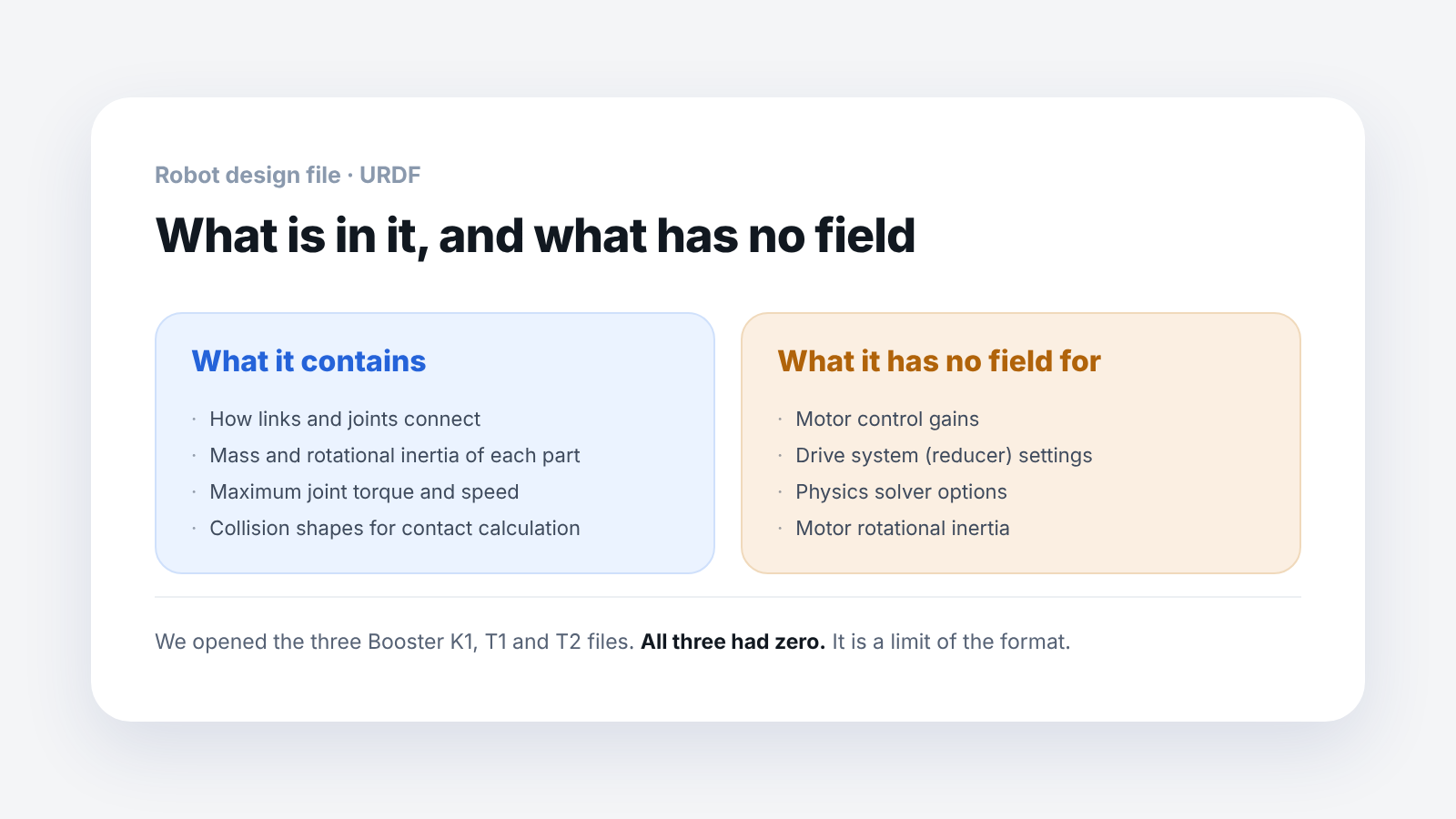
Here are the main things that are missing.
- Motor control gains: how strongly the joint follows a command
- Drive system settings: how the reducer is coupled
- Physics solver options: values the simulator uses when it calculates
We opened the three Booster K1, T1 and T2 files and counted.
All three files had zero.
It is not that they were left out when the file was made. It is because the URDF format has no field for them at all.
So where do you get those values?
They come from two places.
One, the MJCF file. This is the format MuJoCo reads, and it holds the values a URDF cannot. Motor rotational inertia is one of the things in it.
Two, settings inside the training code. Booster publishes the characteristics by motor type separately as Python configuration files. They are not missing; they are in a different file.
We have written up separately why the MJCF values matter. If the motor rotational inertia alone is missing, a robot that walked well in the simulator wobbles on the real robot.
So if you only receive the design file and conclude "the values are missing," you will miss something.
Where do you check the control gains?
The reason a URDF has no control gains is not that a file went missing but that the URDF format has no field for them. For any robot, the gains cannot be known from the URDF alone.
The manufacturer publishes motor characteristics and control gains in separate files. If you want to know which file to check, contact us and we will point you to the location.
Where do you check sensor positions?
There is one more thing to look at besides gains: where the sensors are mounted on the robot. For perception practice, you need the coordinates of where and at what angle the camera is mounted on the robot.
In Booster's materials, you can find them in three places.
- Camera mounting position: in the URDF. The camera links are included. They are attached to the head (and on the T2 also the waist) with fixed joints
- IMU position: in the MJCF. It is in the torso as a site named
imu. It is in the MJCF, not as a URDF link - Coordinates of the running robot: from the SDK and ROS 2. Query them with
list_framesandget_transformin the SDK, orrt/tfin ROS 2
The camera link names by model are as follows.
- K1:
head_realsense_rgb_link,head_booster_stereo_rgb_link - T1:
head_realsense_rgb_link - T2:
head_booster_stereo_rgb_link,waist_booster_stereo_rgb_link
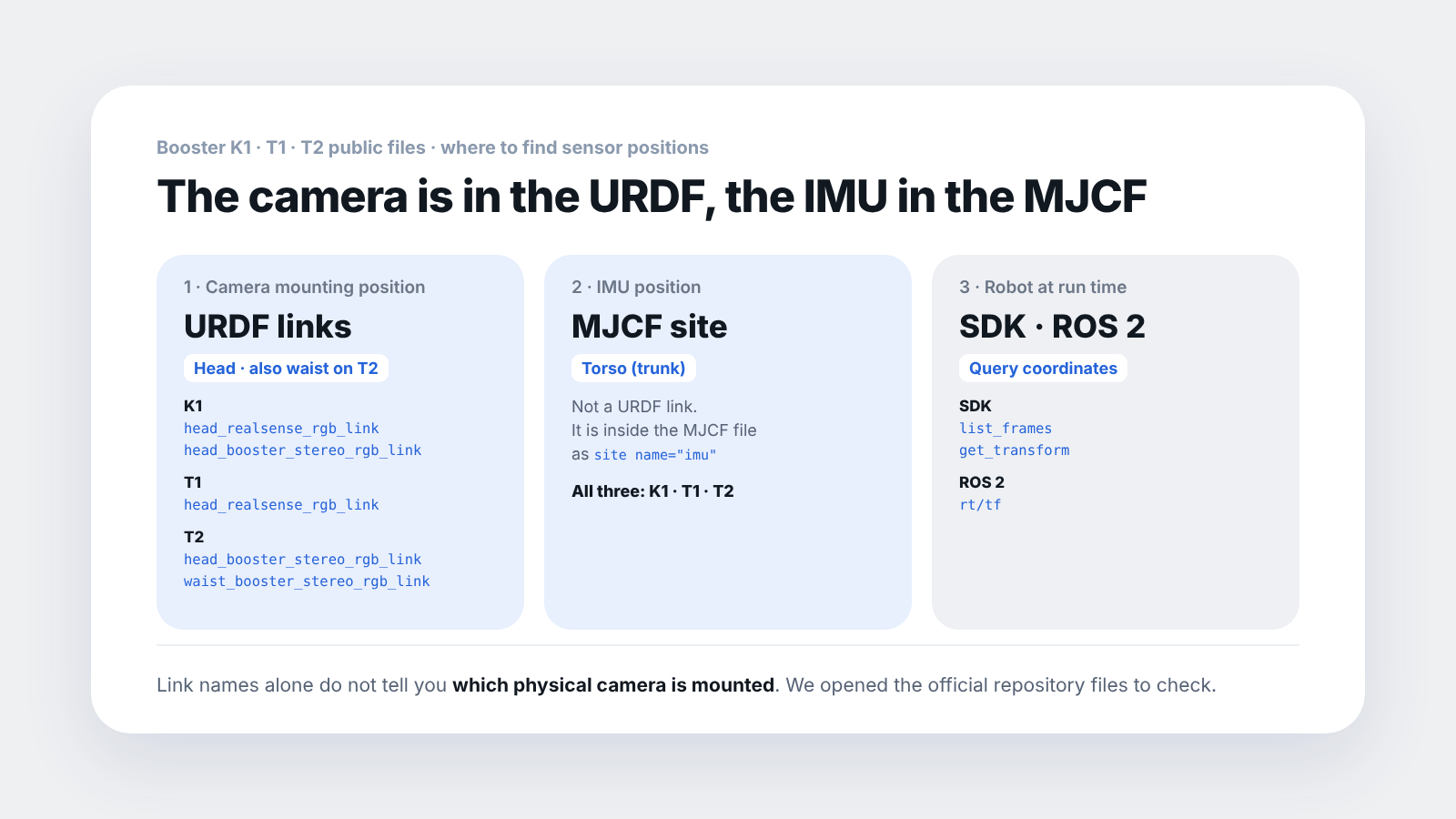
The link names alone do not tell you which camera is actually installed. We check the equipment configuration together with you in the adoption consultation.
If your practice topic is walking, you do not need to worry much about this; if it is perception, you should sort it out in advance. At the adoption review stage, decide the practice topic first and then ask, and you will get an answer faster. It is also worth checking whether the MJCF is in the list of files you will receive.
Frequently asked questions
Does that mean you cannot do reinforcement learning with the URDF alone?
You can. The simulator fills in default values and runs. But to reduce the gap with the real robot, it is better to refer to the values on the MJCF side.
Can I enter the gain values myself?
You can. But you need to know the motor specifications, so using the settings the manufacturer published is more accurate.
Is there a practice exercise for checking values that are not in the URDF?
It is a good one. If students open the file and look for the dynamics entry, they see the limits of the format for themselves.
Which files did you check?
Three URDF files, one each for Booster K1, T1 and T2 (re-checked against the official repository on 2026-09-16). Other files from the same company may be set up differently.
Next step
These are good to read next.
- It Walks in the Simulator but Wobbles on the Real Robot: the result of opening and counting the MJCF files that hold values the URDF cannot.
- Can You Not Do Reinforcement Learning Without a USD File?: sorts out which of URDF, MJCF and USD you need to receive.
- Which Robot Simulator Should a Robotics Lab Install?: lists the robot file format each simulator needs.
The results here are values we confirmed by opening the public URDF files ourselves. In all three files, control gains and drive system entries were zero. The link names alone do not tell us which camera is actually installed.
Correction on 2026-09-16: the original post said the Booster design files had no sensor links. They do contain camera mounting links, and this has been corrected.