
How Should You Plan Student Numbers and Equipment for a Humanoid Lab?
The math depends on the number of laptops, not the number of robots. The simulators are free and run on the CPU alone.
When you plan a lab budget, this is the first thing that stops you.
"We have 30 students. How many robots should we buy?"
It is hard to provide a robot for every student. So practice gets postponed, or students are split into groups and take turns.
But the math works differently.
Can practice start without robots?
The early stages of humanoid practice take place entirely inside the computer.
Loading the design file into the simulator, standing up the robot, running the training and checking the results. The physical robot (Booster K1, T2) is needed only once, at the end.
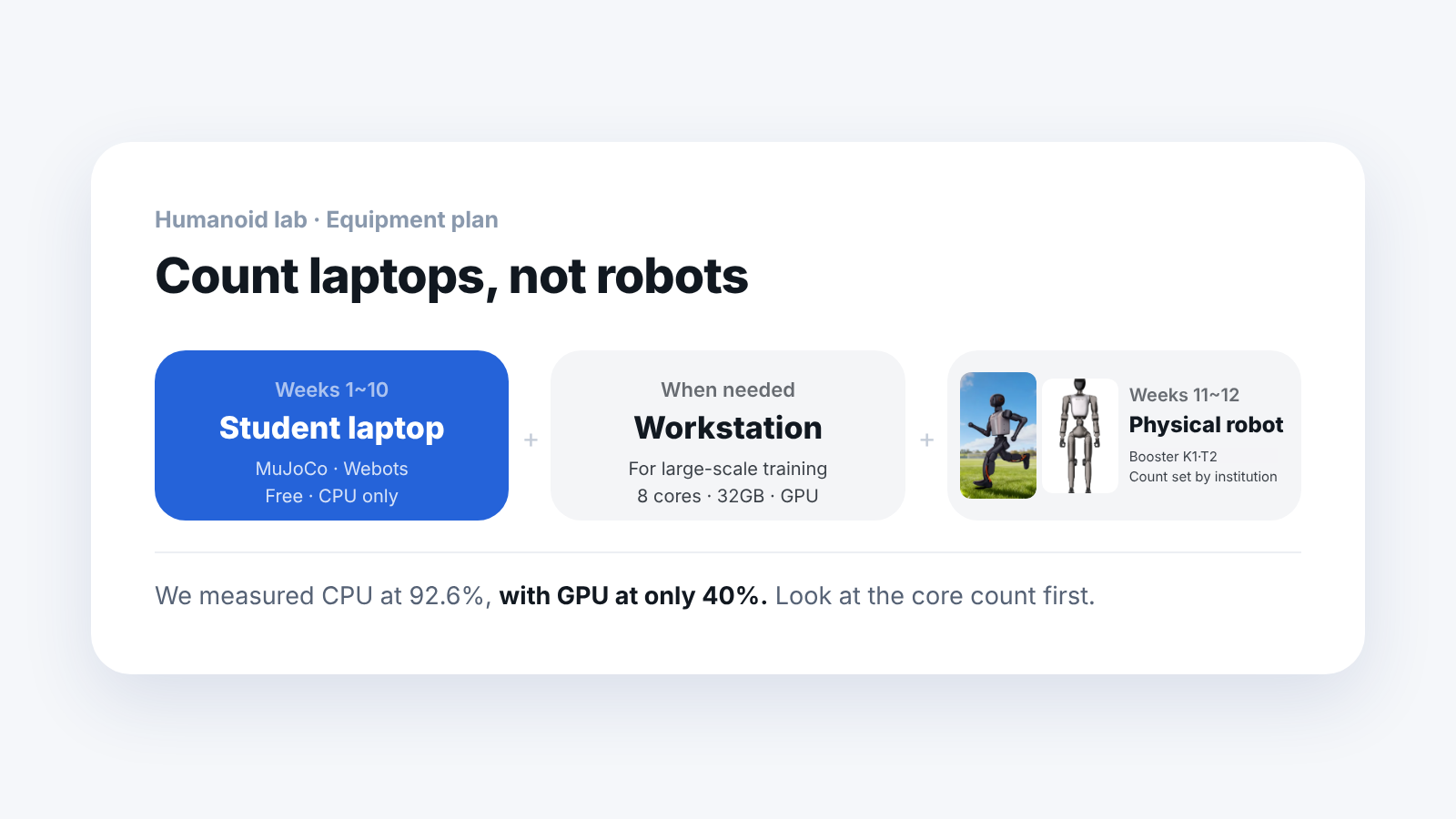
So the number of students is set by the number of laptops, not the number of robots.
How much does the simulator cost?
This is the key point.
- MuJoCo: free, runs on the CPU alone
- Webots: free, runs on the CPU alone
You do not need a graphics card. Each student can run it on a personal laptop.
So the simulator stage is open to every student, regardless of the number of robots.
What PC specs do you need?
The part that matters differs by tool.
- Light simulation (MuJoCo, Webots): CPU core count matters
- Large-scale training (Isaac Lab): GPU and memory (VRAM) matter
- Common to both: 32GB RAM
As a standard for coursework, we recommend 8 cores, 32GB, RTX 4070-class.
There is one misconception here. "A good graphics card is all you need" is wrong. Light simulators do their physics calculation on the CPU. However much you upgrade the graphics card, it will not get faster if the CPU falls short.
Saying it in words alone is not convincing. We ran a soccer simulation with six robots ourselves.
On a 6-core CPU, 16GB RAM and an RTX 2060, the average was 0.50 times real-time speed. During that run, the CPU went up to 92.6% while the GPU used only 40%.
Counting the samples one by one makes it clearer. The CPU went above 90% in 44% of the samples, while the GPU was used even at half in only 8%.
The numbers show where the bottleneck was. That is why we tell you to look at the CPU core count first.
How should you divide the equipment?
- Student laptops: simulator practice (in many cases possible without additional purchases)
- One or two lab workstations: for large-scale training, GPU needed
- Physical robots (Booster K1, T2): the last practice stage (the institution decides the number based on student count, teaching method and budget)
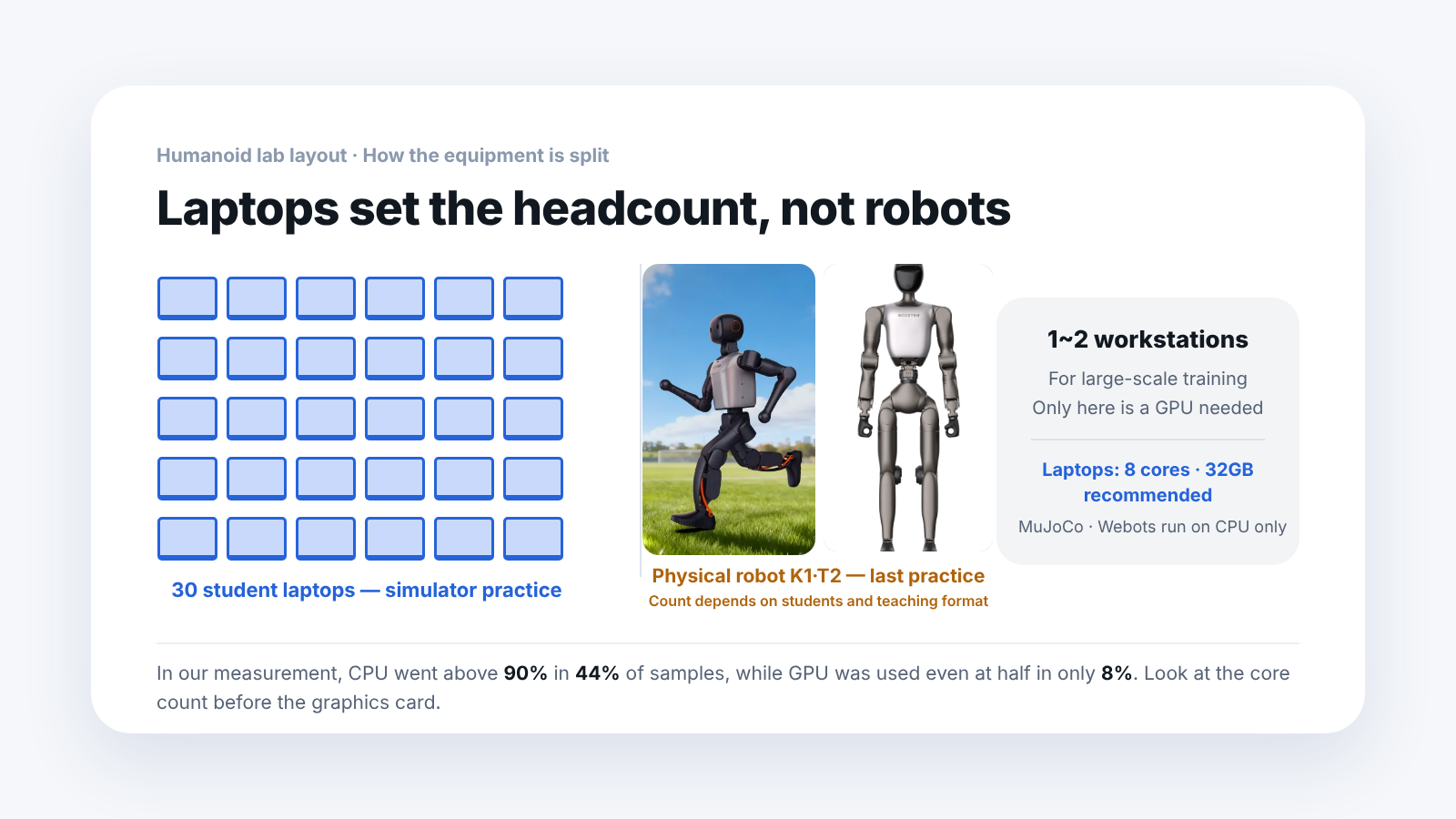
| Layer | Equipment | Role | GPU |
|---|---|---|---|
| 1 | Student laptops (one per student) | Simulator practice | Not needed |
| 2 | 1 to 2 lab workstations | Large-scale training | Needed |
| 3 | Physical robot Booster K1, T2 (number decided by the institution) | Last practice stage | n/a |
The institution can decide the number of physical robots by looking at the group size and the number of class sessions with the physical robot. In any case, every student can do the early practice stages on their own laptop.
What changes if you use trained results?
There is one more thing you save on.
If you start reinforcement learning from scratch, you have to run thousands of robots at once, which takes a lot of GPU. But if the results of finished training are published, you can just take them and use them.
Booster publishes four trained motion policies. They cover things like walking, motions and dancing.
Using them changes practice like this.
- Originally: start with training, several GPUs, takes weeks
- With downloaded policies: first check the walk, then fix things from there, results in the first week
Whether students see a walking robot in the first week sets the mood of the class. You can do that without buying as much equipment. If the laptops in the class have different specs, it is safer to choose the scene based on the lowest spec.
Frequently asked questions
What if the student laptops have low specs?
MuJoCo and Webots are fairly light and run on most laptops. Scenes with several robots may be too heavy, though.
Can you fill a whole semester without a robot?
In the plan above, the first ten weeks, yes. The experience of moving to a real robot at the end is important, so it is better to include the physical robot stage in the plan. The institution decides how many to have, based on student count and teaching method.
If there is no GPU at all, can't you do training?
Large-scale training is hard. But the stage of taking results that are already trained and using them works without a GPU.
In what environment did you take the measurements?
Ryzen 5 5600X (6 cores), 16GB RAM, RTX 2060, Windows 11. It is a PC below the recommended specs, so please treat it as a reference.
The performance numbers are values we measured by installing the software ourselves. They were taken on a PC below the recommended specs, so results will differ if you upgrade the specs.