
Where Should You Start Automating Sample Tube Handling in the Lab?
Instead of building a whole new line, start with the one step that repeats most, such as loading and retrieving a centrifuge. Using the single-arm uLab Uno as an example, this post covers what to check first, the phased adoption order, and how to run without a LIS.
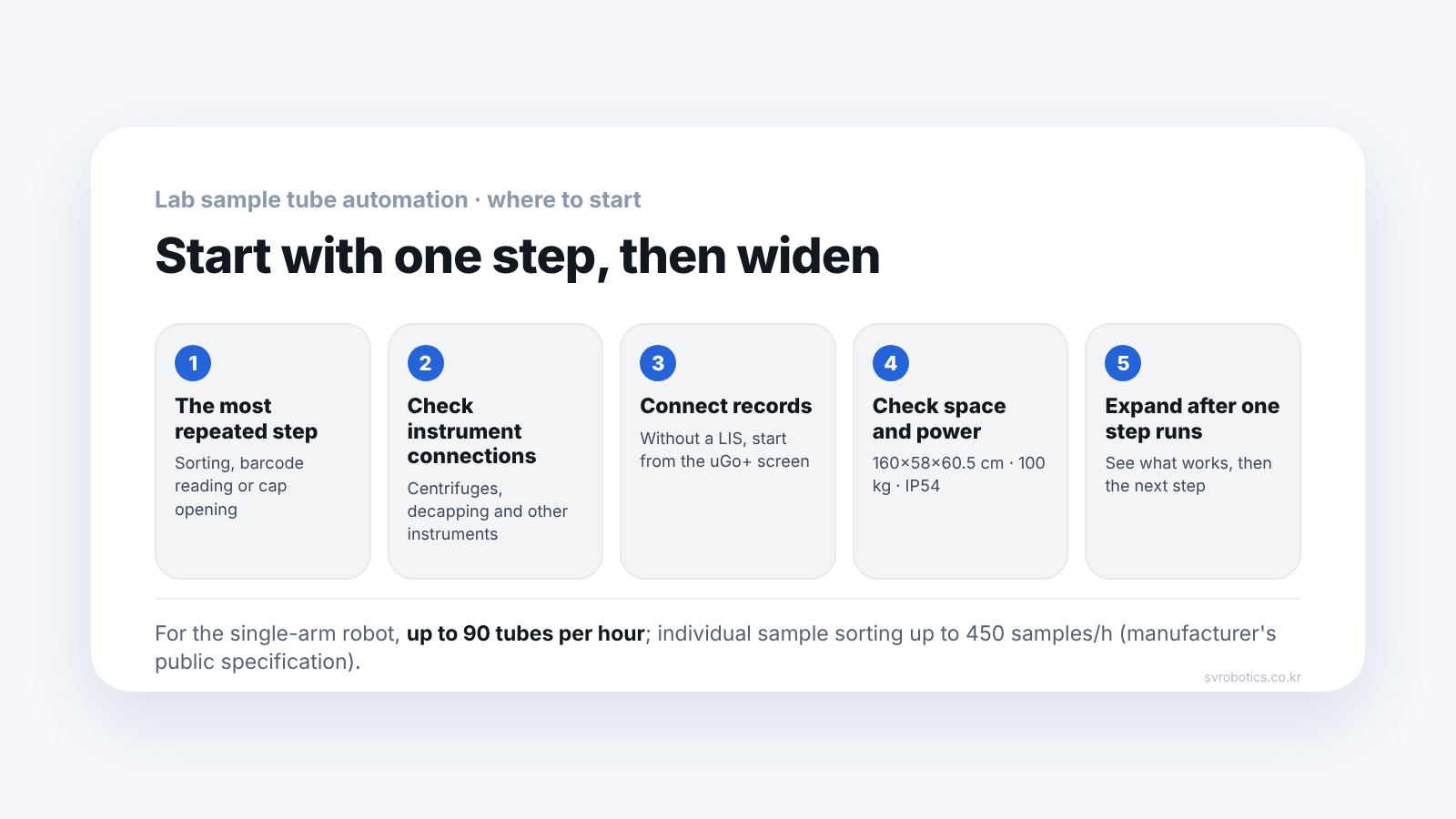
Start with the one step that repeats most, for example putting tubes into a centrifuge and taking them out. You do not have to change the whole lab at once.
Taking tubes from racks, reading barcodes, putting them into an instrument, taking them out and moving them to the next step repeats all day. uLab Uno from United Robotics Group, which we supply, is a system that takes over this repetition with a single robot arm. The figures below are based on the manufacturer's official material and our product page (updated 2026-08-31).
Why start with one step?
Because you can keep your current instruments and work flow as they are, and expand while confirming the effect.
Building a new automation line from scratch means a long period of construction and validation, and testing work is disrupted in the meantime. uLab Uno is placed in an existing lab without major structural changes and connects the steps you need first. You run it in one place first, then widen the scope to other instruments and steps.
Candidates for the first step are work like this.
- Loading and retrieving a centrifuge
- Barcode reading of tubes and sorting
- Moving processed tubes to the next instrument
How far can a single robot arm go?
It recognizes tubes, picks them up, reads them, and puts them into and takes them out of instruments.
| Function | What the manufacturer publishes |
|---|---|
| Tube identification | AI recognizes tube shape and cap color, cap color recognition rate 95% or higher |
| Identification | Reads barcodes of 8 to 20 digits |
| Instrument connection | Centrifuges, decapping (cap removal) instruments, specimen transport systems, scales, hematology, coagulation and urinalysis instruments |
| Throughput | Up to 90 tubes per hour (up to 450 for individual sample separation) |
| Autonomous operation | Up to 16 hours once set |
Throughput depends on test conditions and how samples are run. The work sequence is set in management software called uGo+, where you can have urgent specimens processed first and view work history.
Can a lab without a LIS use it?
Yes. If you have a LIS (laboratory information system), it connects by CLSI LIS1-A or REST API. If not, uGo+ decides where a tube goes by barcode suffix, cap color, or criteria you define.
SiLA integration is in preparation, and OPC UA is applied project by project. Operating data is processed on the device, so it can be used without a constant internet connection.
In what order does adoption proceed?
Four steps.
- Technical review. We check the current work sequence, tube standards and the instruments to connect
- Phased transition. Keeping the current environment as much as possible, tasks to automate are added one by one
- System handover. The lab team operates it, watching status and flow through uGo+
- Autonomous operation. It runs for up to 16 hours on the configured flow
When needed, you can switch from autonomous operation to manual operation by people within 10 minutes.
Is it all right to use it in the same space as people?
It was designed with environments shared with people in mind. It has a certified safety zone and 17 configurable safety functions, and safety performance is at PLd, Category 3.
The official specifications to check when looking at the installation spot are as follows.
| Item | Official specification |
|---|---|
| Size | 160 × 58 × 60.5 cm |
| Weight | 100 kg |
| Maximum payload | 5 kg |
| Working radius | 800 mm |
| Protection rating | IP54 |
| Cleanroom class | ISO 14644-1 Class 6 |
| Power consumption in normal operation | About 200 W |
| Tube standard | EN 14820 / ISO 6710 |
| Availability in autonomous operation | Over 98% |
| Additional configuration (Daily archive) | 200 × 60 × 89.1 cm · 5 × 50 positions |
| Power / network | 10 × 230V / 16A · 7 ports |
| CE standard applied | Machinery Directive 2006/42/EC |
Since a cleanroom class is stated, if you plan to place it inside a clean area, first match it against the class of your area. Also check that the tubes you use conform to EN 14820 / ISO 6710. The power condition in the specification table is 230V/16A.
Frequently asked questions
How are uLab Uno and uLab Mobile different?
Uno is a single robot arm that handles repeated work at one bench or around a specific instrument, and Mobile is a mobile type that moves by itself between several work points and instruments to carry tubes.
Can I rent it instead of buying?
You choose between purchase and RaaS (a monthly-cost model). RaaS cost includes hardware, software maintenance and service.
What should I tell you when I inquire?
Tell us how tubes move now, the instruments you want to connect, daily throughput and the repeated work you want to automate, and we will review together where to apply it.
More detail: uLab Uno product page · uLab Mobile product page
The content here is based on United Robotics Group's official product material and the SV Robotics uLab Uno product page (updated 2026-08-31). Price and installation time depend on lab conditions, so they are not given.
Pre-adoption checklist: What Should You Check Before Adopting Lab Automation Equipment?
Next step
Pick one repeated step and send it to us, and we will review where in your current instrument setup you can start automating. Prices depend on lab conditions, so we give them as a separate quote.