
What Does a Facility Manager Do After Bringing In a Cleaning Robot?
Once a robot arrives, the cleaning routine changes. This post sorts the work into what is done daily, what is done weekly and what people keep doing. The most important step is to name the person in charge before adoption.
As the robot takes over the cleaning, the manager's job shifts from "cleaning" to "caring for the robot."
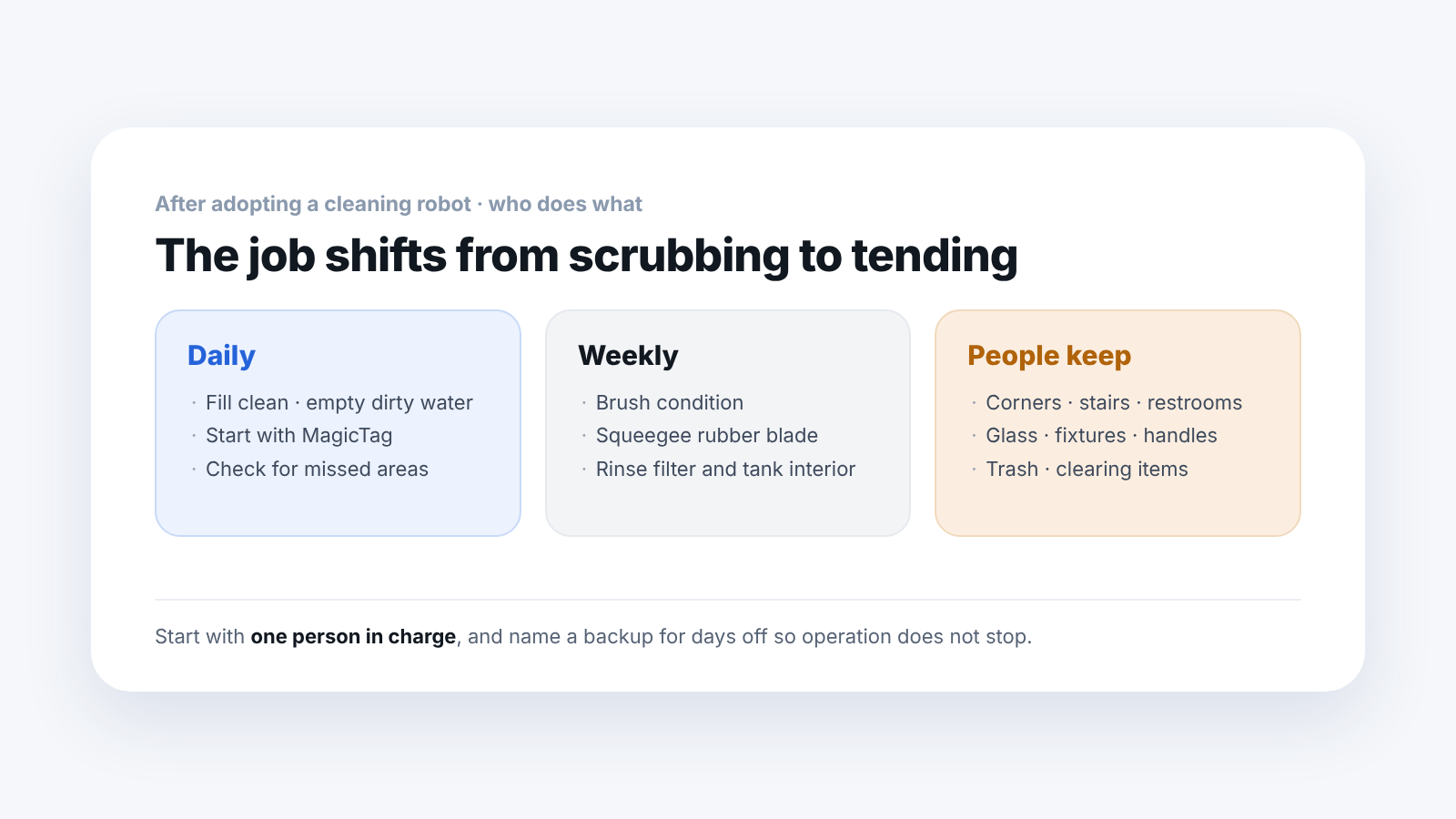
The question that comes up latest in adoption consultations is "So who looks after it?" But if you do not settle that before adoption, the robot ends up sitting idle. Here is the actual work, divided up.
1. What is done every day?
Fill the water, start the run, and check afterward.
- Fill clean water and empty dirty water — Once a day or several times, depending on tank capacity and the area to be cleaned
- Start — With the LionsBot R3 Scrub Pro, pushing the robot onto a MagicTag starts a registered cleaning job. The person in charge does not have to operate a screen
- Check afterward — Look for sections that were not cleaned and places where it stopped because something blocked it
You can see the status and cleaning schedule of several robots and manage them in the mobile app, so you can check without being at the site.
2. What is done every week?
Inspect the parts that touch the floor.
- Brush — When it wears down, cleaning performance drops
- Squeegee (the rubber blade that recovers water) — If it is damaged, water is left on the floor. It is the part most directly tied to slipping
- Filter and the inside of the tank — Rinse them regularly to prevent odor and clogging
The types of consumables and replacement intervals depend on usage, so we set them with you at adoption, based on operating hours.
3. What do people keep doing?
The places the robot cannot reach, and the work that is not water cleaning.
- Corners, stairs, small restrooms
- Wiping glass, fixtures and handles
- Collecting trash
- Moving objects aside — If a box is left in an aisle, the robot goes around it or stops
So the benefit of adoption often shows up not as "we cut staff" but as "the time spent cleaning wide floors went to other work."
4. How many people are needed in charge?
One person is enough to start. Name one person to handle water refills and starting and checking runs, and one more to cover that person's days off, and operation will not be interrupted.
We provide training for on-site staff at adoption, and the scope of later support is decided at the quote stage.
5. How do you plan for noise and operating hours?
Both models average around 70dB. It is better to plan to run during hours when few visitors are present. For night operation, also check security and access procedures.
Frequently asked questions
Does a person need to stay next to it?
No. After it starts, it covers the set area on its own. People do the water refills and the check afterward.
How do I know if the robot has stopped?
You can see the status in the mobile app. It can stop if something is left in the aisle or people keep passing through, so it is quicker to look at the cause first.
Can water filling and draining be automatic?
For the R3 Scrub Pro you can choose a station that charges and fills and drains water automatically. You need to check in advance where it will go and where the piping is.
What happens if it breaks down?
Consumables are replaced on site, and the scope of other maintenance is decided at adoption. The quote states where on-site work ends and where our responsibility begins.
Next step
Tell us your daily operating hours, how staff will be assigned and where water can be filled, and we will help plan the routine after adoption. If you already have a cleaning schedule, you can send it to us as it is.
Sources: Official LionsBot R3 Scrub Pro product page and SV Robotics product pages (MagicTag start method, mobile app management, optional accessories, checked 2026-09-21). Consumable replacement intervals depend on usage and are not given.