
A Pepper Sitting in Storage: Can a School or Institution Use It Again?
There is a way to add AI conversation and facility guidance to a Pepper by installing only software, without opening the hardware. This post sets out what to check first, the installation steps we take part in remotely, and the network conditions, with screens.
Yes. We first check remotely whether it can be used again. Because we only install software and do not open the robot, if it turns out not to suit, we return it to its original state.
Some institutions have a Pepper in storage that was bought for an event or for guidance, or one that only repeats a few fixed lines. AnsimRobo for SoftBank Pepper, made by SV Robotics, is software that adds AI conversation, facility guidance and admin settings to such a Pepper.
What has to change for a Pepper to be used again?
It has to answer questions instead of following a script, and your own staff have to be able to change its content.
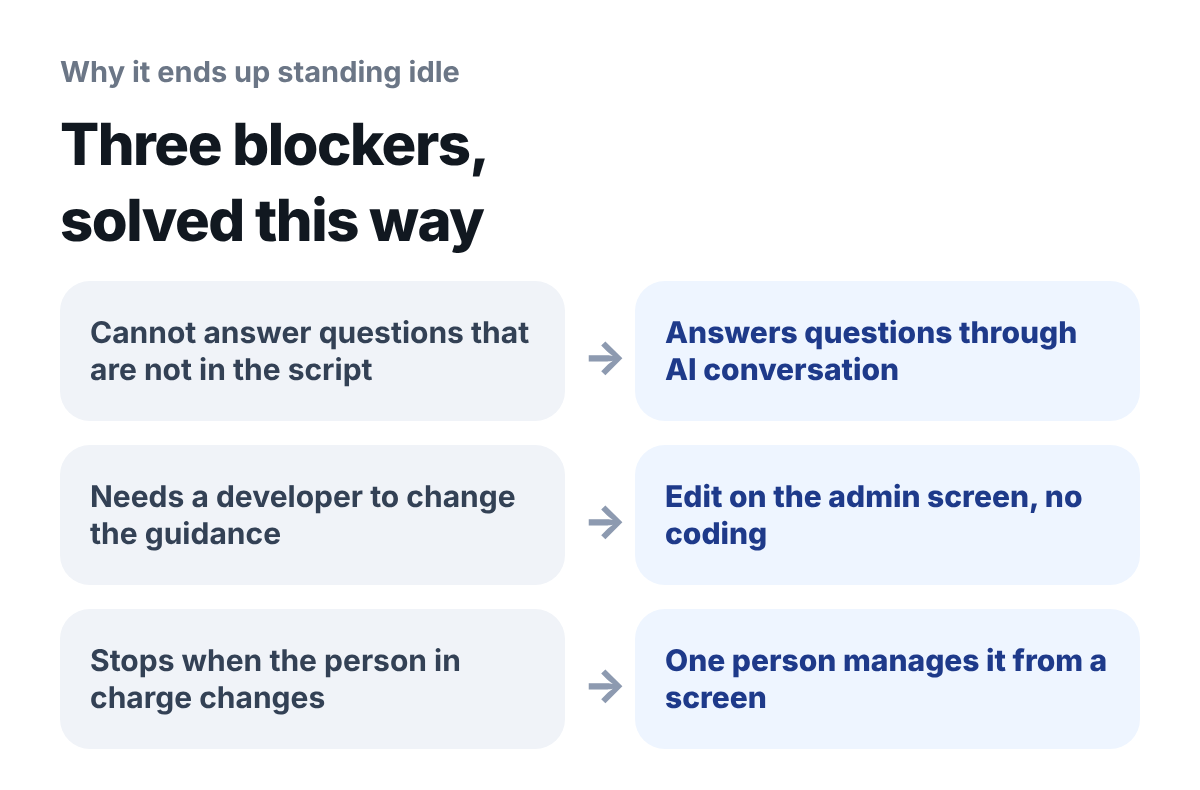
What to look at: On the left are the reasons it ends up standing idle, and on the right is what changes with AnsimRobo.
- Questions not in the script: when a visitor asks something that is not in the script, it cannot answer
- Changing the guidance: every time floor guidance or event information changes, you have to call a developer
- Changing the person in charge: when the person who knew how to use it leaves, nobody turns it on
What features can you add?
Three: AI conversation, facility guidance and a no-code admin.
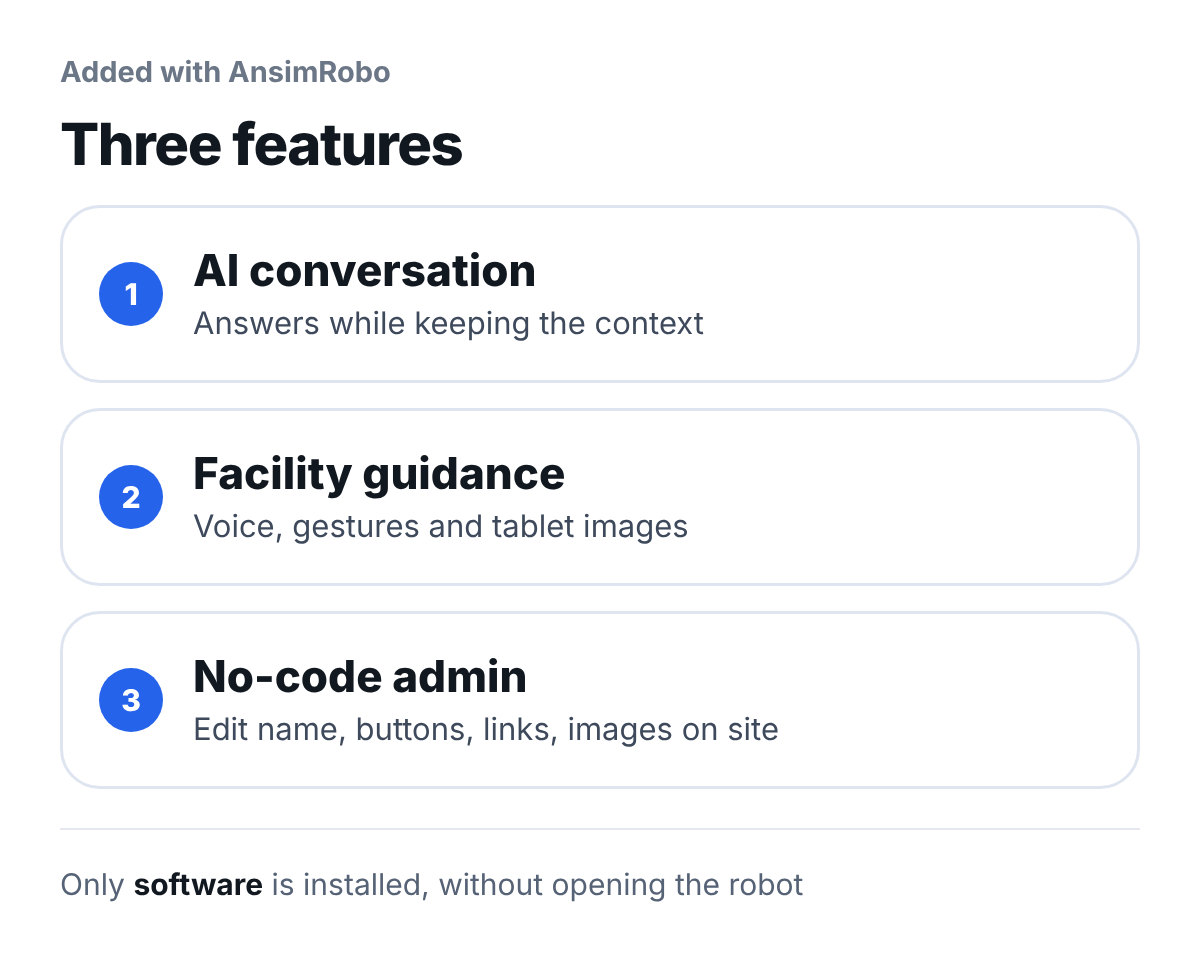
What to look at: All three features are added as software, and no parts are replaced.
| Feature | What it does |
|---|---|
| AI conversation | Answers questions while keeping the context of what was said before and after |
| Facility guidance | Combines voice, gestures and tablet images to tell visitors about places and information |
| No-code admin | Lets you edit the robot name, buttons, links and guide images on site |
Speech recognition and speech support six languages: Korean as the default, plus English, Chinese, Japanese, Spanish and German, and you switch by choosing the language in the settings on Pepper's tablet. Schools use it for AI conversation experience classes and school introductions, libraries for guiding people to materials, and public institutions for service-counter guidance.
From 2021 to 2025, the head of SV Robotics supplied Pepper robots to elementary, middle and high schools, libraries, kindergartens, universities and public institutions. For libraries, we have run a Pepper guide app in which the robot moves to the location of the book a visitor is looking for and guides them there.
In what order does it proceed?
Five steps, from the compatibility check to live operation. We carry out the installation remotely together with your institution.
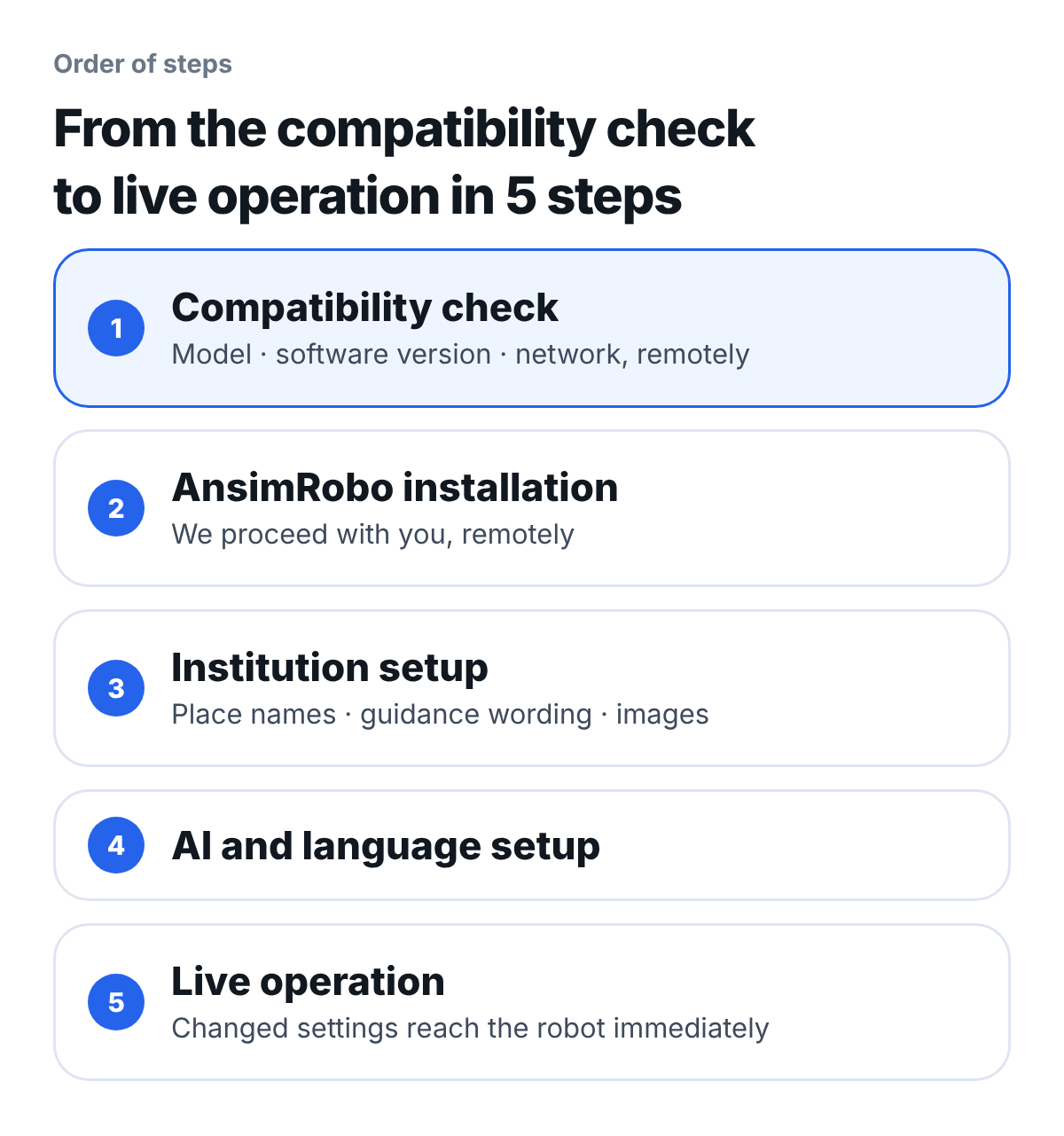
What to look at: Both step 1 and step 2 are done remotely, without a visit.
- Compatibility check: we check the Pepper model, software version and the site's network remotely
- AnsimRobo installation: we connect remotely and install together with your person in charge
- Institution setup: you enter place names, guidance wording and images
- AI and language setup
- Live operation: settings you change on the admin site reach the robot immediately (app v2.1 or later)
How long adoption takes depends on the condition of the robot you have and the installation environment.
How does the installation go?
You run the installer on your institution's laptop and we watch together remotely. The installer finishes in five steps.
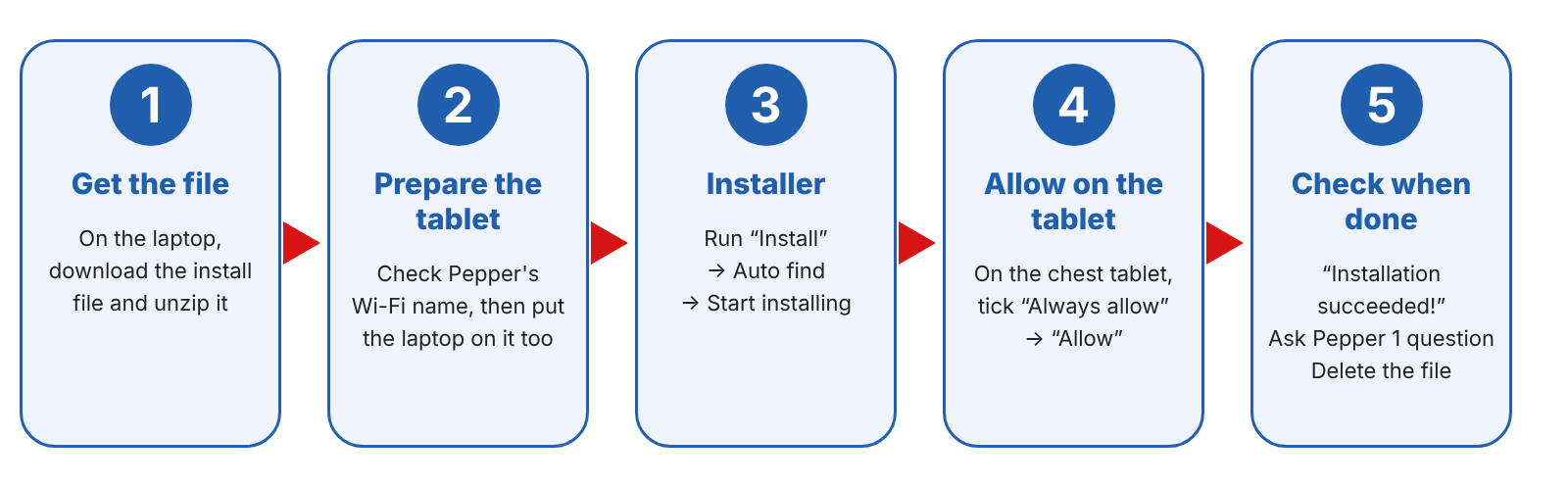
What to look at: The laptop and Pepper must be on the same Wi-Fi before the installation can start.
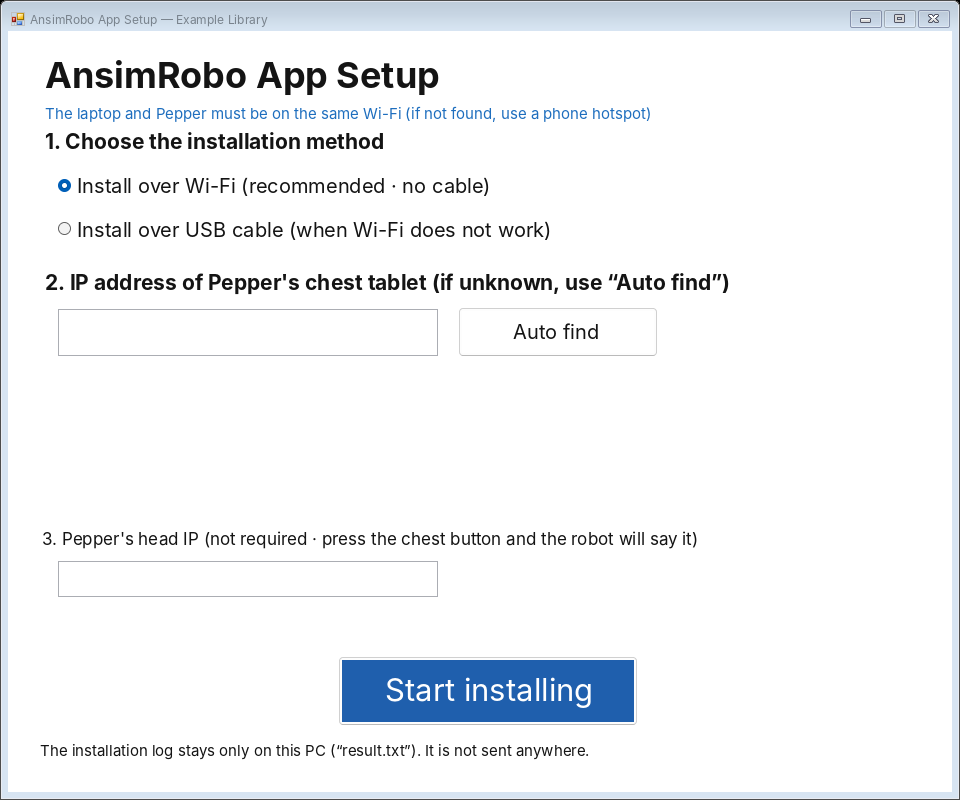
What to look at: You can fill in Pepper's address with "auto find" even if you do not know it.
During installation, a window asks whether to remove the existing app.
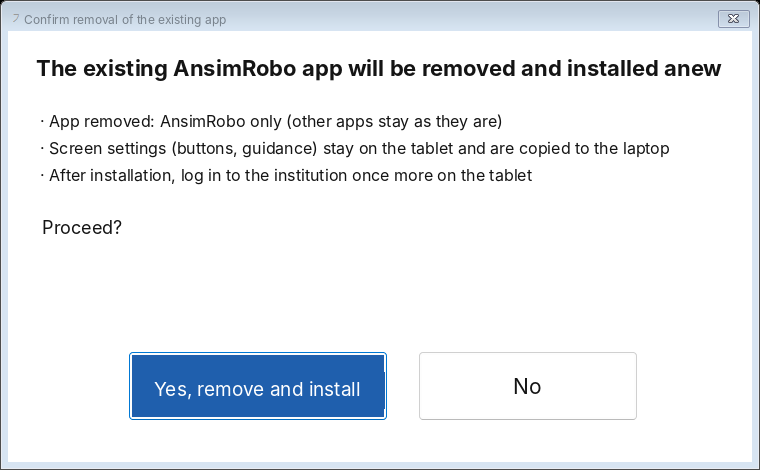
What to look at: The only thing removed is the AnsimRobo app. Other apps on the Pepper stay as they are.
Because only one app is added or removed this way, you can return to the original state if you decide not to keep using it. No extra hardware is attached.
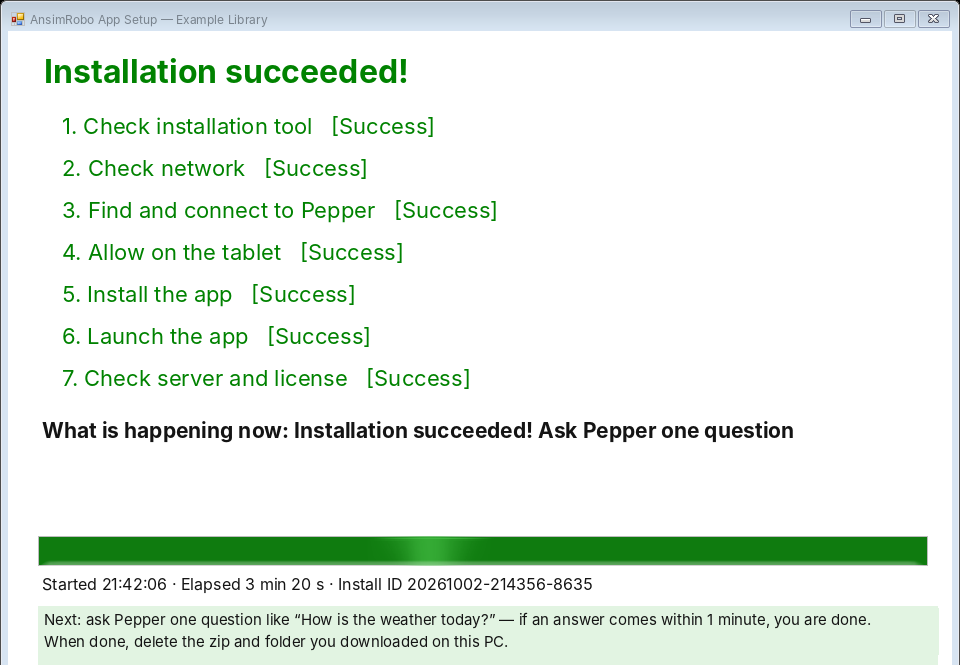
What to look at: When all seven steps show "success", ask Pepper one question, check that an answer comes, and you are done.
What does the network need?
Only a connection going out from the robot to the internet. This is because AI conversation and speech recognition work online.
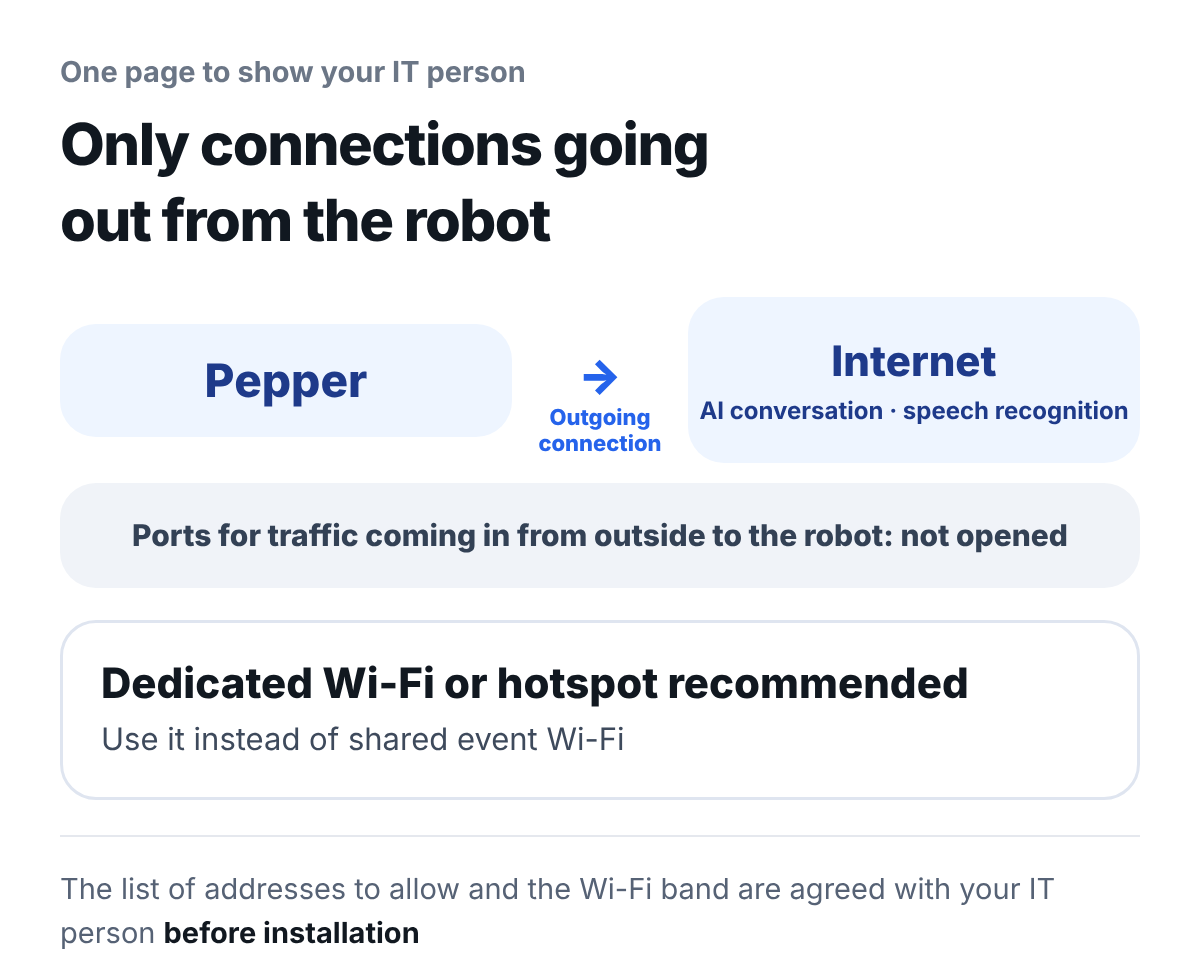
What to look at: No port for traffic coming in from outside to the robot is opened. You can show this one picture as it is to your institution's IT person.
- Direction of the connection: only connections going out from the robot are used
- Wi-Fi: we recommend a dedicated Wi-Fi or a hotspot instead of shared event Wi-Fi
- Addresses to allow: the list of addresses to allow and the Wi-Fi bands you can use are agreed with your institution's IT person before installation
What should you tell us before reusing it?
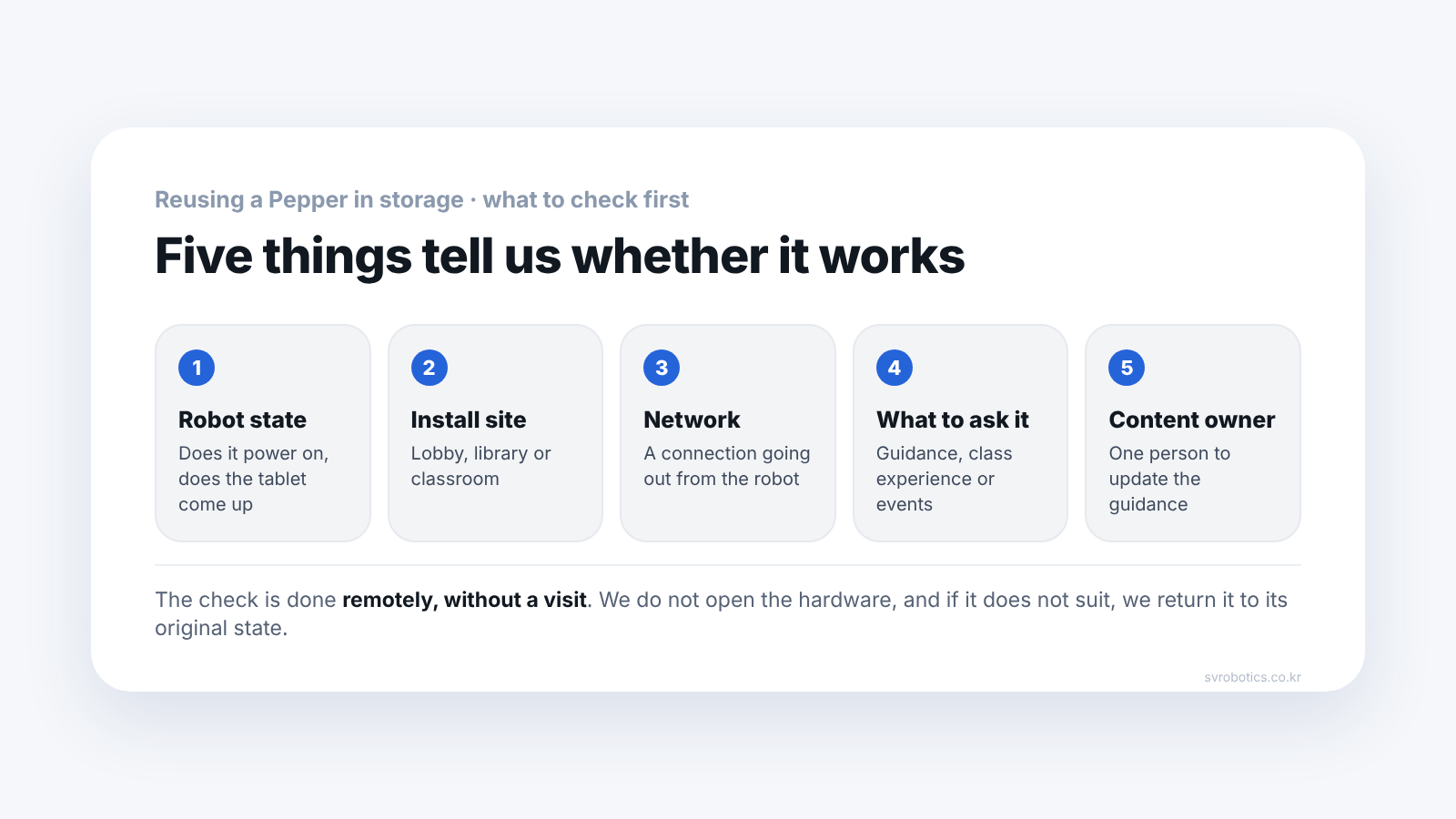
The five things in the picture at the top. From these five we judge whether it works in its current state.
- Pepper model and current state: whether it powers on and whether the tablet comes up
- Installation site: a lobby, a library or a classroom
- Network: whether you can use a dedicated Wi-Fi or a hotspot
- Purpose: guidance, a classroom experience, or events
- Person in charge: one person who will update the guidance content
Frequently asked questions
Can we try it before deciding?
We start by checking your Pepper model and its condition remotely to judge whether it can be applied. Whether a trial is possible and how far it goes depends on the condition of your robot and the installation environment.
Who does the installation?
We connect remotely and install together with your person in charge. All your institution needs is one laptop and the Pepper connected to the same Wi-Fi.
Does a developer have to stay on site?
No. Basic operation is done from the no-code admin screen. Settings you change reach the robot immediately (app v2.1 or later).
Can we go back to the original state after installing?
Yes. Only the AnsimRobo app is installed and removed, so other apps on the Pepper stay as they are.
Does it understand speech in a noisy place?
It depends on conditions. That is why, before installation, we check the noise and network at the installation site and set noise filtering and listening again to suit the site.
Does it support languages other than Korean?
It supports six languages. With Korean as the default, it listens and speaks in English, Chinese, Japanese, Spanish and German, and you switch by choosing the language in the settings on Pepper's tablet.
Next step
Tell us the Pepper model you have, its current state and the installation site, and we will judge remotely whether it is a robot that can be upgraded. Both the check and the installation are done without a visit.
Sources (checked 2026-10-15): SV Robotics AnsimRobo for SoftBank Pepper product page (features, adoption flow, supported languages, how soon settings apply) and the screens of the remote installer for the AnsimRobo app (the institution name and IP on screen are examples). Institution names are not given.